 EM: Databases/SQL: Databases > Sequences
Description
The  Databases, Sequences tab lists defined database sequences and their key values, including current value, increment, minimum, maximum, and cycle status.
Note: selecting a database from Databases name list, opens its configuration interface, and enabling access to Sequences.
Location
EM Navigator →  Databases/SQL → Databases → Sequences
Toolbar
| Button | Function |
|---|---|

|
Creates a new sequence. |
|
Deletes/Removes selected sequence. |
|
|
Refreshes the information. |


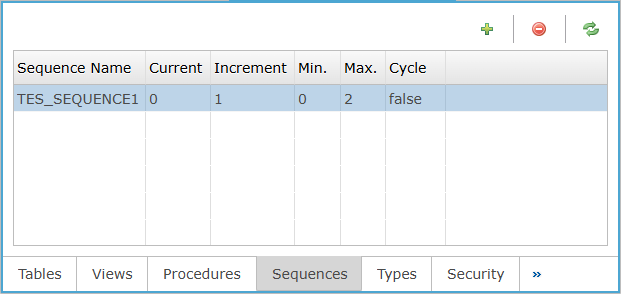
Sequences Column
The Sequences column presents each defined sequence with its Sequence Name, Current value, Increment, Min., Max., and Cycle setting.
Sequences Column Settings
Create a New Sequence
To create a new Sequence clicking the icon opens Create New Sequence dialog, where users define a sequence by entering its name, start value, increment, and maximum value. The dialog also explains that a sequence returns the next value at the specified increment when called from an SQL statement.