 EM: Databases/SQL: Databases > Remote Security
Description
The  Databases, Remote Security provides the ability to restrict BBj SQL, JDBC and ODBC access to this database from remote machines not included in the Allow Access Whitelist. Machines not included in the list have access according to the security policies defined below. By default, only the IP address of the machine and the loopback address (typically 127.0.0.1) "local."
Note: selecting a database from Databases name list, opens its configuration interface, and enabling access to Remote Security.
Location
EM Navigator →  Databases/SQL → Databases → Remote Security
Toolbar
| Button | Function |
|---|---|

|
Adds a Whitelist entry. |
|
Deletes/Removes selected Whitelist from the list. |

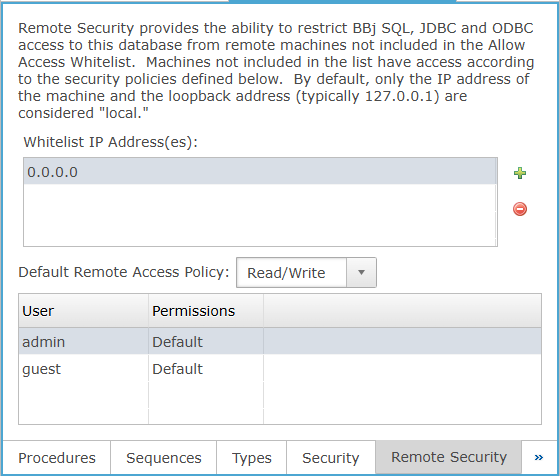
Whitelist IP Address(es)
Lists IP addresses explicitly whitelisted for remote database access under the current remote security configuration.
Default Remote Access Policy
The default remote access permission applied to remote users, with selectable Deny All, Read Only, or Read/Write.
Default Remote Access Policy Settings
Remote Security: Column Section
The Remote Security user-permissions list displays each database user and the remote access permission assigned to that user. In the current UI, each Permissions entry can remain set to Default or be changed to Deny All, Read Only, or Read/Write for remote access control.