 EM: Databases/SQL: Databases
> Views
EM: Databases/SQL: Databases
> Views
Description
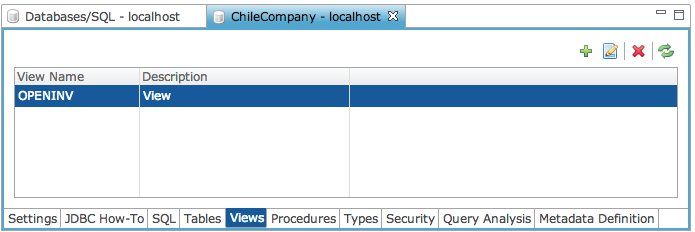
The  Databases Views provides access to database views, listing defined views with their names and descriptions, and enabling creation, modification, and inspection of view definitions, including query statements that determine how underlying data is presented when the view is accessed.
Note: selecting a database from Databases name list, opens its configuration interface, and enabling access to Views.
Location
EM Navigator →  Databases/SQL → Databases → Views
Toolbar
| Button | Function |
|---|---|

|
Creates a news view. |

|
Edits selected view. |

|
Removes/deletes selected view. |

|
Refreshes the information. |
Views: Search Criteria
Input field and search option used to filter listed views by name, with optional inclusion of description text when the checkbox is enabled.
Search Criteria Settings
Create a New View
Creation of a new view initiated by selecting the icon, opening a blank view editor for entering view name, description, and SELECT query. After defining the query, selecting the Test Query option opens the SQL tab, where the query is executed and validated within the database context.
Create a New View Settings
Edit Selected View
Editing an existing view initiated by selecting a view from the list and clicking the edit icon, opening the view editor populated with the current view name, description, and SELECT query. Modifications can then be applied directly to these fields, with the Test Query option available to validate changes within the SQL tab before saving.
Views: Column
List of defined database views presented with corresponding names and descriptions, enabling selection of a specific view for inspection, editing, or management within the database context.