 Configurator Interface
Description
The Configurator interface consists of a menu bar, toolbar, and tabs that contain the configuration pages, which allow the editing of a set of related configuration parameters.
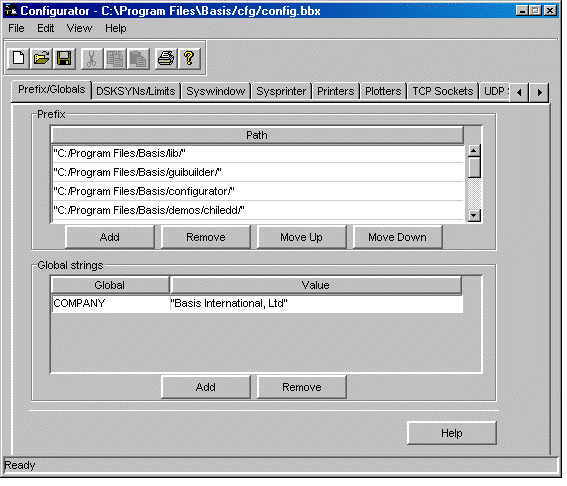
Menu Bar
The menus make it possible to execute the commands available in Configurator. For a description of every menu item, see Configurator Menu Descriptions.
Toolbar
The toolbar provides shortcuts to the most commonly used commands. For a description of each button, see Configurator Toolbar Description.
Configuration Pages
The Configurator contains the following configuration pages, each of which allows you to edit a set of related configuration parameters. (The Novell configuration page is only visible on Novell versions of the Configurator.)
The tabs provide the method for displaying the configuration pages. To navigate between the pages, do one of the following:
-
Double-click the mouse button on the tab.
-
Click the mouse button on one of the tabs, and use the directional arrow keys to move between tabs.
Help Button
The Help button displays Help topics that relate to the displayed configuration page.