 The DDBuilder Interface (Superseded)
DDBuilder has been superseded by the BASIS DBMS Data Dictionary module accessible from the BASIS IDE or the Enterprise Manager. Recommended for usage with ODBC/JDBC access to PRO/5, Visual PRO/5, BBj application data. DDBuilder is no longer included in the BBj download package as of version 12.0 but can be downloaded with Visual PRO/5.
Description
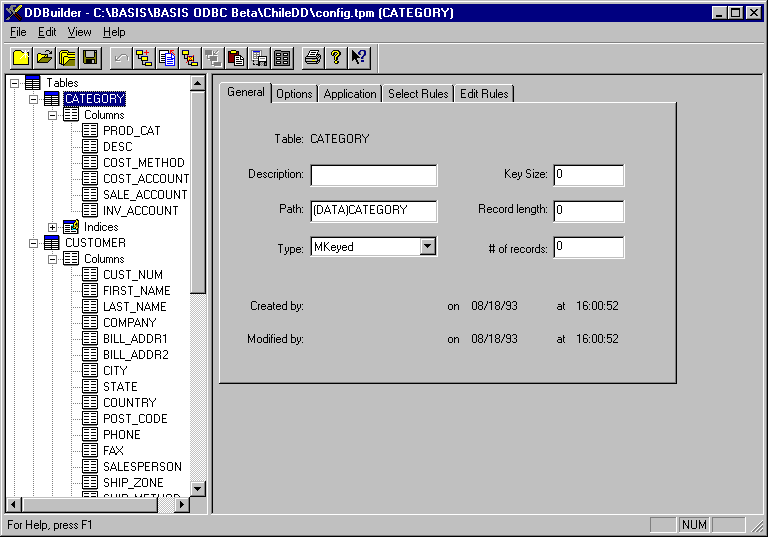
The DDBuilder window is made up of a menu bar and toolbar across the top, a tree view on the left, a properties page on the right, and a status bar along the bottom. A split bar separates the tree view from the properties page.
Menu Bar
The menu bar consists of the File, Edit, View, and Help menus. For a description of every menu item, see DDBuilder Menus.
Toolbar
The toolbar provides shortcuts to commonly used operations. It can be displayed or hidden from the View menu. For a description of each button, see DDBuilder Toolbar.
Tree View
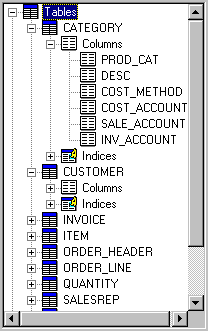
The tree view provides a graphical representation of the data dictionary structure. It displays each table, column, index, typedef, rule, and view contained in the data dictionary. It can be used to display the properties pages that are used to define the attributes of the data dictionary contents.
Properties Pages
Properties pages are used to define data dictionary table, column, index, rule, view, and typedef attributes. Select an element in the tree view to display its properties page. The following table lists where to find the attributes of each element:
|
Element |
Attributes are described in |
|---|---|
|
Table |
Defining General Table Attributes; Defining Advanced Table Options |
|
Column |
Defining General Column Attributes; Defining Advanced Column Options |
|
Index |
|
|
Rule |
|
|
Typedef |
|
|
View |
Split Bar
The split bar separates the tree view and properties page areas. To move the split bar, do one of the following:
-
Place the mouse pointer on the split bar. Click and drag the split bar right or left to resize the tree view and the properties page areas.
-
On the View menu, select Split. To move the split bar, either click and drag it with the mouse or use the right and left arrow keys. Press Enter to accept the results.
Status Bar
The status bar is positioned at the bottom of the DDBuilder window and displays tool button and menu item function descriptions:
-
To display a tool button's functional description, position the mouse pointer over the tool button.
-
To display a menu item's functional description, highlight the menu item.
-
To toggle the status bar on or off, select Status bar from the View menu.