CSS Styles and CSS Custom Properties in DWC
Overview
This page explains how CSS styles and CSS custom properties can be used to customize the appearance of DWC applications. It covers applying styles to BBj controls, using DWC theme and custom-property values, dynamically adding CSS when needed, and working with web component styling features such as Shadow DOM and exposed parts.
Using DWC CSS Custom Properties
DWC uses CSS custom properties to define reusable values for application styling, including colors, typography, spacing, and other visual properties. Custom properties are referenced with the CSS var() function.
For example:
color: var(--dwc-color-black);
Individual DWC controls can also expose control-specific CSS custom properties. For example, BBjButton provides DWC-specific styling information in its DWC Properties, Shadow Parts, Hosted Classes, and CSS Custom Properties section.
CSS custom properties can also define fallback values:
color: var(--dwc-button-color, red);
In this example, red is used if the referenced custom property is undefined or otherwise invalid.
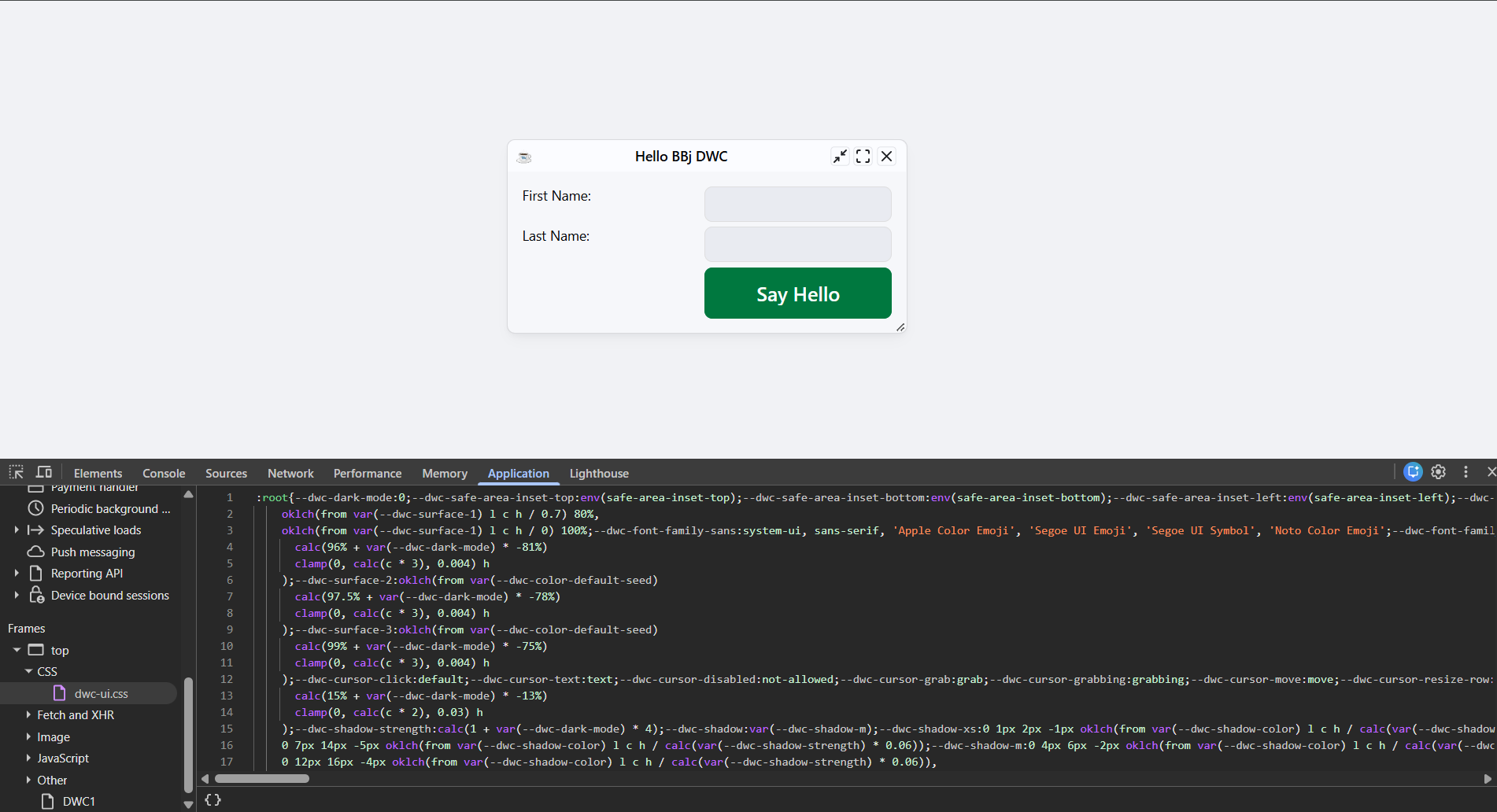
The following screenshot shows the current dwc-ui.css resource in the browser’s Developer Tools, where DWC CSS custom properties can be inspected.
Changing DWC CSS Custom Properties at Runtime
The CSSCustomProperties.bbj sample demonstrates how a DWC application can change CSS custom-property values at runtime. The sample lets the user select a CSS custom property and value, then applies the change to the running application.
When the Set CSS Property to Value button is selected, the program creates a CSS rule for the document root and injects it into the page with BBjWebManager::injectStyle():
css! = ":root { " + currentProperty$ + ": " + currentValue$ + "; }"
BBjAPI().getWebManager().injectStyle(css!)
The following screenshot shows the CSSCustomProperties.bbj sample with --dwc-font-size selected and value of 20px applied.
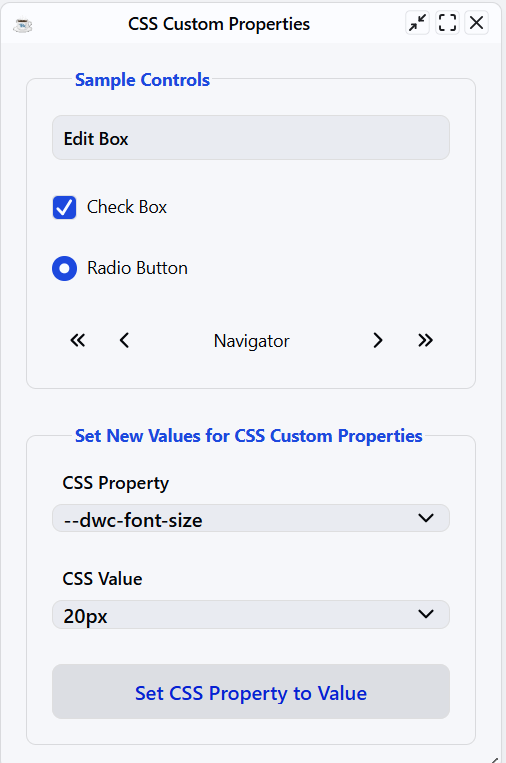
Because the custom property is applied to :root, controls that use that property can immediately reflect the new value. The sample includes properties for font size, font weight, colors, and other DWC styling values.
CSS custom properties can also be referenced inside injected CSS rules to style specific parts of a DWC application, such as a child window’s fieldset legend.
Using DWC App Themes
DWC applications support built-in themes and can follow the user’s system appearance preference. Use BBjWebManager::setTheme() to select a theme or specify system to follow the operating system’s light or dark mode. See the existing DWC theme and BBjWebManager documentation for the available theme methods and values.
Using DWC Dark Mode
A DWC application can switch to a dark theme by using BBjWebManager::setTheme(). For example:
web! = BBjAPI().getWebManager()
web!.setTheme("dark")
To follow the operating system’s light or dark appearance setting automatically, use:
web!.setTheme("system")
When system is used, DWC selects the configured light or dark theme based on the user’s system preference.
Styling Internal DWC Control Elements
A DWC control may contain internal web-component elements, so a style applied to the outer control does not always affect the visible inner element. Use control-specific CSS custom properties or exposed Shadow Parts when styling needs to target internal component elements. These styling options are covered later on this page.
Using Directives to Inject JavaScript and CSS Dynamically
DWC applications can dynamically inject CSS and JavaScript into a page using BBjWebManager. The injectStyle() method accepts CSS and injects it into the page. When the top Boolean argument is specified, the application can explicitly control where the CSS is injected.
Unlike setStyle(), which applies a CSS property and value to a control, injectStyle() accepts CSS content. The injectScript() method provides similar functionality for injecting JavaScript, making it easier to integrate dynamically generated styles and third-party JavaScript and CSS with a DWC application.
External CSS can be loaded from a file and passed to BBjWebManager::injectStyle(). For demo applications, the BASIS DemoUtils class provides file-reading utilities such as getFileContents().
External CSS can also be read with standard Java file APIs and then passed to BBjWebManager::injectStyle().
External CSS can also be read using the standard BBj OPEN, READ RECORD, and CLOSE file operations, then passed to BBjWebManager::injectStyle().
The Web Component Architecture and the Shadow DOM
DWC implements BBj user-interface controls using Web Components. A web component can encapsulate its internal HTML structure and styles in a Shadow DOM, separating the component’s internal implementation from the main document.
This encapsulation helps prevent application-level CSS from unintentionally changing a component’s internal elements. As a result, applying CSS to the outer DWC control does not necessarily change every element rendered inside the control.
DWC components expose supported styling mechanisms, including CSS custom properties and Shadow Parts, that allow applications to customize selected internal elements without depending on the component’s private DOM structure.
When inspected in the browser’s Developer Tools, a DWC control may expose a Shadow DOM containing the elements that implement the visible control. For example, the DWC button component is used by BBjButton, BBjToolButton, and BBjMenuButton controls. These controls provide documented CSS custom properties and Shadow Parts for supported styling of internal component elements. Because the underlying Shadow DOM structure is an implementation detail, use these documented styling interfaces instead of relying on internal markup.
Styling DWC Shadow Parts
DWC components can expose selected elements from their Shadow DOM as Shadow Parts. Use the CSS ::part() pseudo-element to style an exposed part without depending on the component’s private DOM structure.
For example, if a DWC control exposes a part named control, CSS can target that part with:
.myButton4::part(control) {
    background: purple;
    color: yellow;
}
The following screenshot shows the current SetStyle.bbj sample after applying the Shadow Part styling to the DWC buttons.
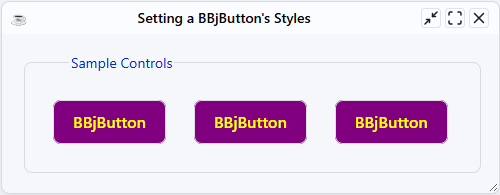
The .myButton4 class identifies the DWC control, and ::part(control) targets the exposed Shadow Part. Use only part names documented for the DWC control being styled.
Different exposed Shadow Parts can be styled independently. Use the documented part name that corresponds to the portion of the control you want to customize, and apply that part name with ::part().
For the currently supported Shadow Part names, see: BBjButton reference.
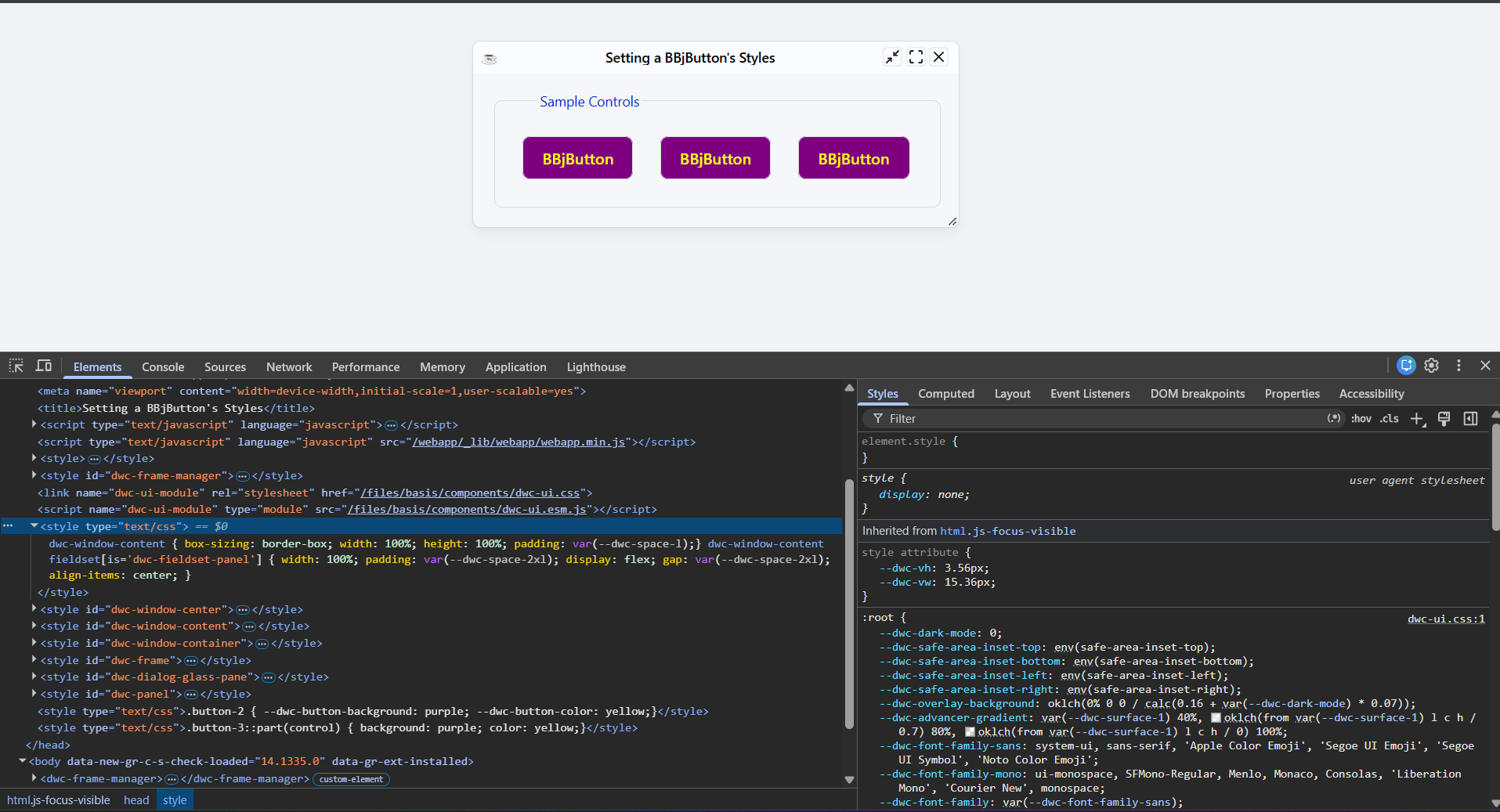
The following screenshot shows the current SetStyle.bbj sample and the injected CSS rule that targets the control Shadow Part using ::part(control).
Font Size Compatibility
DWC uses a different default font size than BUI. For options to match or adjust font sizing when moving an existing BUI application to DWC, see: DWC FAQ.