Inventory Control - Physical Count Register
Function
This task follows the Select Cycles for Freeze, the Print Count Sheets task, and the Physical Count Entry tasks. The Register and Update task finalizes the physical inventory activities and updates the item quantities.
To access this task...
Select Physical Count Register from the Physical Inventory menu.
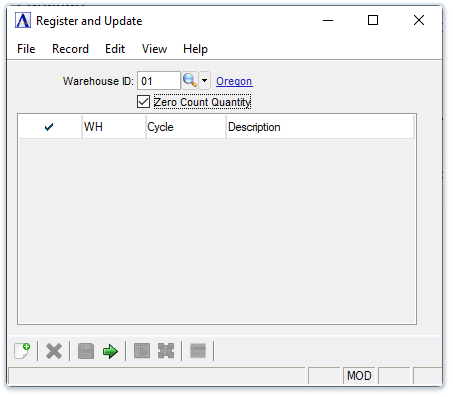
Physical Count Register and Update
About the Fields
In the Warehouse ID field...
-
Enter a valid warehouse code for the inventory to include on the register.
-
Click
 to
select from a list of warehouse codes.
to
select from a list of warehouse codes.
Cycle codes are displayed in a list. Mark the boxes next to the cycle records to select them for running the register and updating the records.
Zero Count Quantity checkbox...
-
Unmark the box to (default) leave the physical count the freeze quantity when a physical count is not entered for an item .
-
Mark the box to reset the physical count to zero when a physical count is not entered for an item.
When finished selecting cycles...
-
Click
 to begin the register and update process.
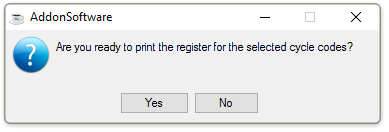
The system displays the prompt:
-
Click Yes to create the register for the selected cycle codes.
-
Click No to return to the Physical Inventory menu.
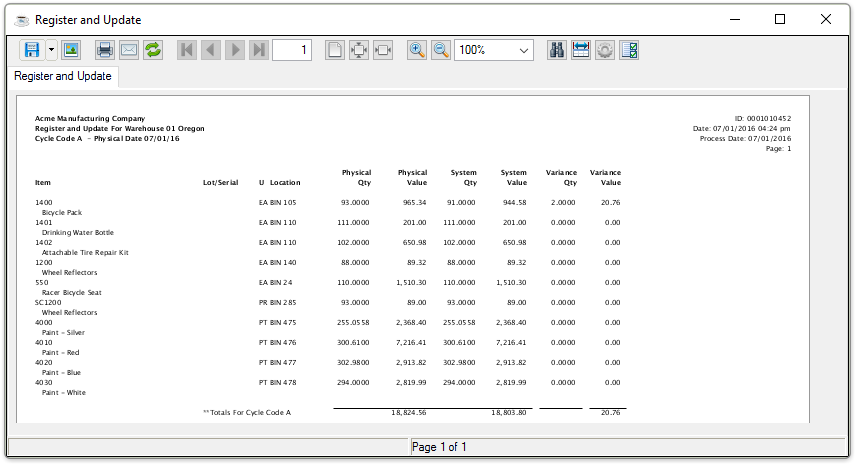
Sample Register and Update
See Output Options.
After selecting the document output, the system issues the following prompt:
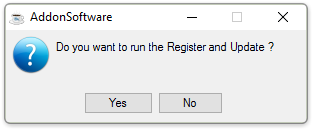
Do you want to run the Register and Update?
-
Click Yes if the register contains the correct information for updating the inventory file.
-
Click No if the information is incorrect and the inventory file should not be updated. Use the Physical Count Entry task to make corrections.
When the updating process is complete, the system issues the following:
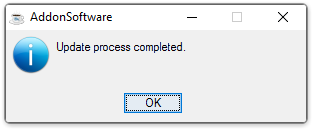
Update process completed.
Updating
As the physical inventory update proceeds, item numbers display on the screen to show its progress. This process can take some time for a large inventory. Any quantity variances that are a result of the physical count process are updated directly to the Inventory Master Fileand an inventory transaction is written. In a lotted/serialized inventory, the Physical Inventory Register update affects the Lot/Serial Number Master File, Lot/Serial Number Sort File, and the Lot/Serial Number Transaction File.
There are no general ledger postings made as part of the update. Any adjustments to the general ledger must be made using the Journal Entry task within the General Ledger module. At the conclusion of the update process, the physical inventory processing queue is cleared of all updated selections.
NOTE:
If a small number of count errors occurred and are discovered after printing the Physical Inventory Register, you may want to proceed with the update anyway rather than making the corrections and reprinting the entire register. Adjustments can be made with the Inventory Transaction Entry task.
Remember the physical count update posts thecalculated adjustment amount to the Inventory Master File (i.e., the difference between the system’s on-hand amount when the cycle was “frozen” and the physical count amount), while the inventory transaction update makes an adjustment by the actual amount entered in the Inventory Transaction Entry task.