WebCUI Overview
Description
WebCUI provides a quick and simple path to the web for the oldest type of legacy app: the Character User Interface (CUI). WebCUI allows you to deploy character-based apps in the browser without changing any code. WebCUI is a subsystem of the DWC and uses a specialized terminal component and termcap file to provide a fully-functional browser-based terminal emulator, allowing you to use terminal-based apps in the browser just as you would on a desktop.
Even with a character user interface, your app can still benefit from web deployment. Users can access your app from their browser, without needing to purchase, install, and maintain a terminal emulator, and without needing to perform software updates or local trouble-shooting. If you have a mature app with a character user interface (CUI), WebCUI lets you access the benefits of web deployment without rewriting your existing code.
WebCUI can be the first step in a modernization move to a fully responsive web application because it delivers the ability to mix-and-match CUI windows with DWC windows. You can easily add features that open new windows with DWC components like full-featured grids and forms, improving user experience and productivity without affecting the integrity of your existing app.
Although WebUI also allows you to deploy CUI apps to the web, WebCUI can be a more cost-effective solution if you don't need any of WebUI's additional features.
Access to this feature requires an active Software Asset Management (SAM) subscription. See Benefits of ‘Software Asset Management' Feature Line.
In addition to SAM, WebCUI requires a WEBCUI license feature. WEBCUI feature line user counts can be lower than the BBj user count. Contact your BASIS sales representative for pricing and licensing options.
Configuration
To enable a WebCUI app, register it in the Enterprise Manager App Deployment: Applications section by creating a new app or editing an existing one.
Check the box in the General section labeled DWC-WebCUI App Enabled to publish the app as a DWC or WebCUI app.
Save your configuration, and your app will be published at the DWC/WebCUI URL mapping specified in EM: Web > Context Configuration. The default URL mapping is webapp, so your app will be accessible at <server>:<port>/webapp/<program_name>. Click the Launch DWC-WebCUI button to launch your app in a new window.
See EM: App Deployment > Applications for more information on configuring deployed applications.
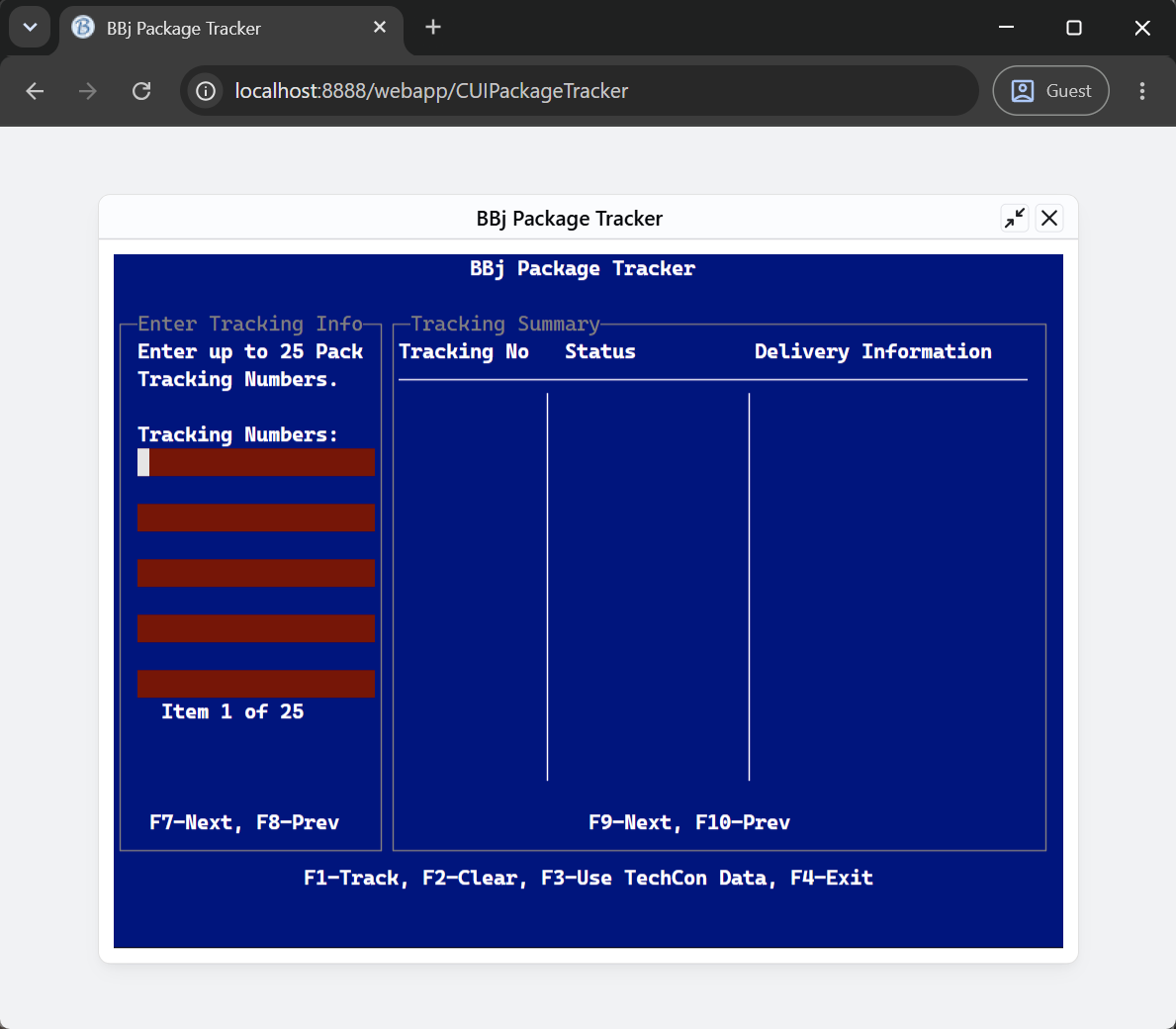
Figure 1: A WebCUI app running in a browser window
Licensing
WebCUI apps require both a WEBCUI license feature and an active SAM subscription. Contact your BASIS sales representative for pricing and licensing options.
WebCUI apps use a terminal emulator that is part of the DWC. This terminal is available for debugging purposes in the DWC, but requires a WEBCUI license feature for full-featured end-user applications. Specifically, a WebCUI license is checked out when any of the following verbs are used: INPUT, INPUT RECORD, INPUTE, INPUTN, READ, READ RECORD, and EDIT (only the interactive EDIT verb checks out a WEBCUI license; the legacy command-line EDIT doesn't).
See Also
Browser User Interface (BUI) Overview