Shop Floor Control - Operation Codes
Function
The Shop Floor Control
module uses an operation A process in the production of an item, component, or finished good.
codes file during the Work Order A document or group of documents that describes a job. A work order can also be a computer file that retains all job information.
entry process. Use this task to create operation codes if the Bill of Materials A listing of materials, operations, and subcontracts used to describe the manufacture of an item. is not installed.
A process in the production of an item, component, or finished good.
codes file during the Work Order A document or group of documents that describes a job. A work order can also be a computer file that retains all job information.
entry process. Use this task to create operation codes if the Bill of Materials A listing of materials, operations, and subcontracts used to describe the manufacture of an item. is not installed.
To access this task...
Select Operation Codes from the Inquiry and Maintenance menu.
If the Bill of Materials Interface Enabled field of the Application Parameters task is checked the fields are inaccessible and the system displays the prompt:
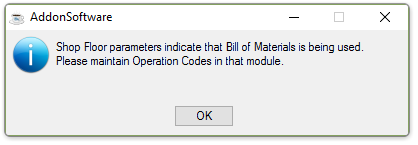
Shop Floor parameters indicate that Bill of Materials is being used.
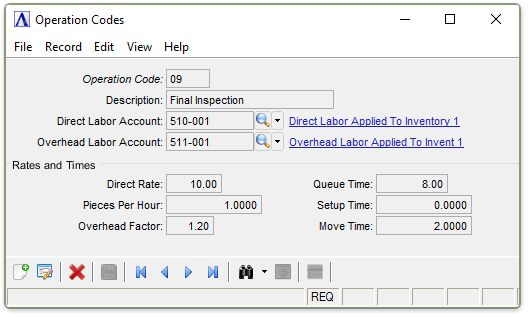
Operation Codes
About the Fields
In the Operation Code field...
-
Enter a new or existing operation code.
-
Click
 to display the Operation Code table.
Select a record and the field is populated with the selection.
to display the Operation Code table.
Select a record and the field is populated with the selection. -
Click the navigating buttons to view the address records;
 to view the first record,
  to view the previous record,
  to view the next record, and
  to view the last record.
In the Description field...
Display only.The description associated with the operation code is displayed.
-
If creating a new code, enter a description.
-
Select Tab or Enter to leave the description blank.
In the Direct Rate field...
-
Enter the hourly labor rate associated with the operation/task.
In the Pieces Per Hour field...
-
Enter the pieces per hour.
In the Overhead Factor field...
-
Enter any overhead
Overhead reflects charges that are not attributable to a specific job. Overhead will include charges such as rent, utilities, and depreciation and those costs are allocated to jobs by an hourly rate. factor. This figure is
used in calculating the cost of operations by allocating overhead
costs across goods being manufactured.
NOTE:
The Overhead Factor multiplied by the Direct Labor rate equals the Overhead Rate used in calculating Overhead Cost. Overhead Cost added to the Direct Cost equals the total cost for an operation.
In the Queue Time field...
-
Enter the time in hundredths of an hour that an item under production will wait before being worked on at this operation.
Changing this field for an existing code will allow you to reschedule your open work orders based on the new queue time
A record of the average amount of time material will wait in line for the next operation.
for this operation code.
In the Setup Time field...
-
Enter the time in hundredths of an hour that it will take for set up.
The time entered here will become the default setup time
The amount of time necessary to setup a machine or an operation for processing. Setup time occurs only once for an entire operation and may include time to change a specific machine to prepare it for the next job. for any operation line in a newly created work order.
In the Move Time field...
-
Enter the time in hundredths of an hour that it will take to move the item from one operation to the next.
The time entered here will become the default move time
The amount of time allocated by the scheduling system after an operation but before the products are ready to move to the next operation. It may represent cooling time, drying time, or any time required before an item can be physically moved. for any operation line in a newly created work order.
The move time may be due to a physical process, for example waiting for
paint to dry or material to cool down.
When finished making entries to the fields...
-
Click
 to save the entries.
 -
Click
 to clear entries.
 -
Click
 to delete the record.
Closing an unsaved record will issue the prompt:
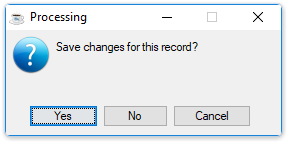
Save changes for this record?
-
Select Yes to save the changes.
-
Select No to return to the form.