Accounts Payable - Recurring Invoice Register
Function
The Recurring Invoice Register is used to generate recurring invoices through the specified invoice date. After printing the register, verify the information and make corrections before updating. The update causes a copy of each recurring invoice to be transferred to the standard invoice entry file. There they are modified or deleted like any other invoice before printing and updating the Invoice Register.
To access this task...
Select Recurring Invoice Register from the Inquiry and Maintenance menu.
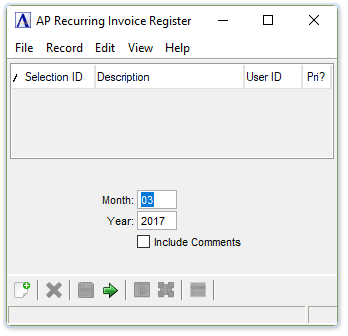
Recurring Invoice Register
About the Fields
In the Through Invoice Date field...
-
Select the Tab or Enter key to accept the default date, which is the current system date plus the Recurring Future Window days in AP Parameters (default 30 days).
-
Enter a date in mmddyyyy format.
-
Click
 to select a date by using the calendar tool.
Include Comments checkbox...
-
Mark the box to include comments on the register.
-
Unmark the box to create a register without comments.
When done making selections...
-
Click
 to run the
register.
to run the
register. -
Click
 to reset the selection fields to default values.
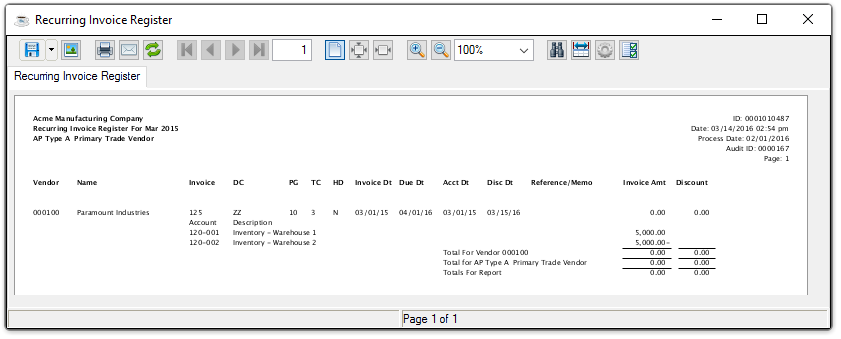
Sample Recurring Invoice Register
See Output Options.
If General Ledger is installed and the GL Posting Parameter is checked, a second Document Output Display window displays. This
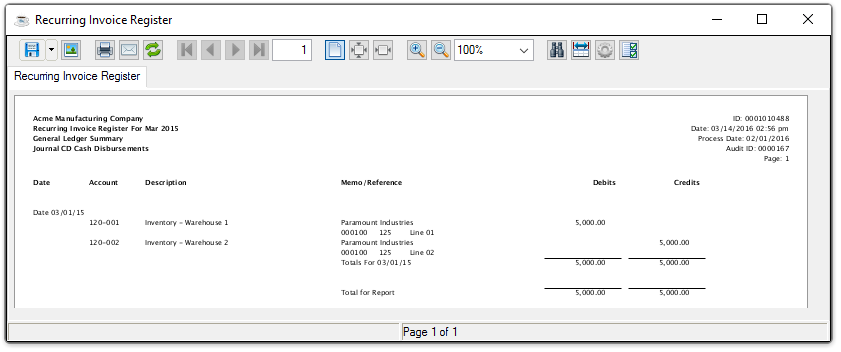
Sample Recurring Invoice Register, GL Summary
See Output Options.
When this step is complete, the module issues this confirmation box:

Do you want to run the Recurring Invoice Register update?
-
Click Yes if the register printed correctly and balances to the totals for recurring invoices.
-
Click No or close the window to return to the Accounts Payable Maintenance Menu without updating the Recurring Invoice Register.
Updating
During the update, an invoice is added to the Invoice Entry file for each defined recurring invoice. Refer to the Recurring Invoice Entry task for information about how the recurring invoice number is assigned. When the update process is completed this message box displays:
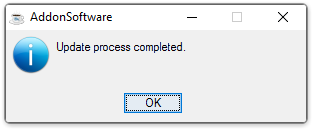
Update process completed.