Accounts Payable - Archived AP Invoice Inquiry
Function
The Archived AP Invoice Inquiry is a display-only form that provides lookup of archived AP Invoices. The archive is a copy of each AP Invoice Entry, and is created during the AP Invoice Register update.
To access this task...
Select Archived AP Invoices from the Inquiry and Maintenance menu.
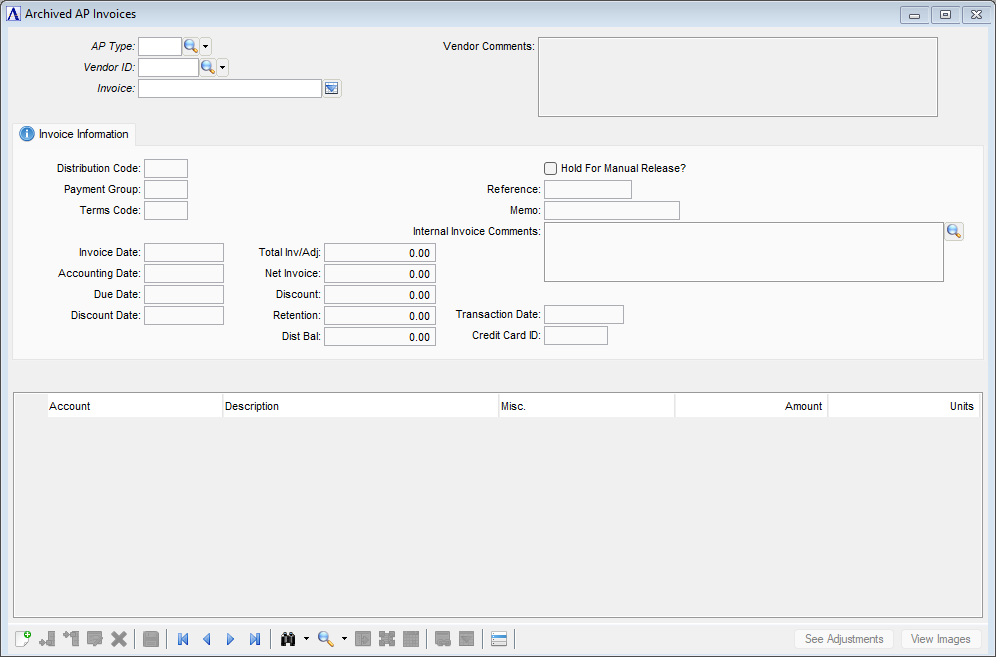
Archived AP Invoices
About the Fields
The AP Invoice Inquiry form is divided into three sections. In the upper section (header), the AP Type, Vendor ID, and Invoice are entered for the archived invoice to be displayed. In the middle section, archived information is displayed for the invoice terms, dates and invoice amount. In the lower section, archived information is displayed for the expense or purchase distribution detail to the general ledger.
In the AP Type field...
Enter an alphanumeric code to identify the AP type code.
-
Click
 to select an AP code from a list of existing AP types code records.
In the Vendor ID field...
Enter a valid vendor ID number.
-
Click
to select a vendor ID from a list of existing ID records. -
Click the record navigating buttons;
 to view the first record,
  to view the previous record,
  to view the next record, and
  to view the last record.
In the Invoice field...
Enter a valid invoice number.
-
Click
 to select from a list of invoices for this vendor.
The See Adjustments button...
The See Adjustments button is disable unless adjustments were made to the archived invoice. Click See Adjustments when enabled to view adjustments made to the archived invoice.
The View Images button...
The View Images button is disabled unless images were saved of the original invoice. Click View Images when enabled to view images of the original invoice.