DWC Handling Client Files
Overview
Web browsers do not allow BBj applications to access files on a client computer directly. Instead, client files must be transferred through browser-supported upload and download processes. Uploading requires the user to manually select and confirm a file, while downloads are provided to the client through the browser. These restrictions are enforced for security and apply to DWC in much the same way as they do to BUI. BASIS documentation for working with client files in BUI therefore also applies to most DWC file-handling operations.
Handling Client Files
Web browsers do not allow BBj applications to access files on the client computer directly. Instead, files must be transferred through browser-supported upload and download processes. Uploading requires the user to manually select a file and confirm the upload, while downloads are delivered to the client through the browser.
These restrictions are required for security. The BASIS documentation on working with client files in BUI also applies to most aspects of client-file handling in DWC.
Uploading Files to the Server
The BBjFileChooser control allows users to select client files for upload or add files by drag and drop. The BBjFileChooserUpload sample demonstrates how to configure the control to upload one or multiple files and provide a drop zone. See: BBjClientFile::copyFromClient and BBjClientFile.
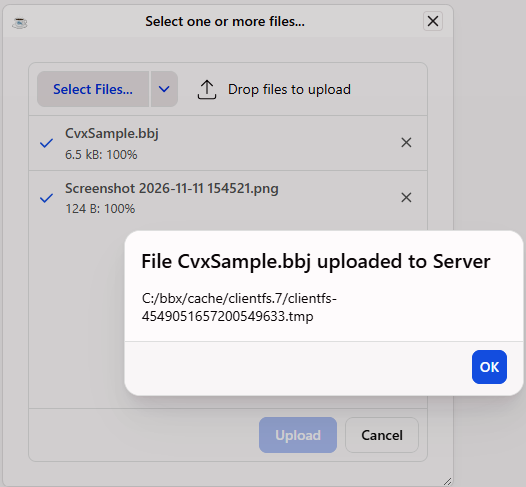
The BBjFileChooserUpload sample demonstrates how to select one or more client files and upload them to the server.
The following image shows the tested BBjFileChooserUpload sample after files are selected and uploaded, including the confirmation that the selected file was uploaded to the server.
File Downloads
Downloading a file is simpler than uploading one. BBjClientFileSystem provides access to the client file system and is used to obtain a BBjClientFile representing the destination file. The BBjClientFile::copyToClient() method then copies the specified server file to the client. This process works in both BUI and DWC.
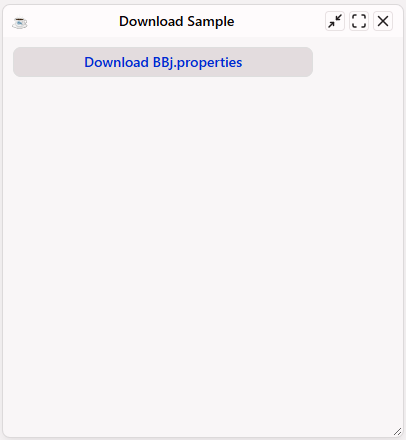
The DownloadingAFile.bbj sample demonstrates a simple file download by displaying a Download Sample window with a Download BBj.properties button.
The following image shows the tested DownloadingAFile.bbj sample.