Shop Floor Control - Committed Materials Report
Function
Creates a list of material
that has been committed to a work order A document or group of documents that describes a job. A work order can also be a computer file that retains all job information.,
though not issued. Committed balances for each item code are compared
to on hand, total committed, available The quantity of materials available for use in production or sales. Available is calculated by subtracting Committed from On Hand.,
and on order quantities. The report is sorted by item number within product
type and warehouse code.
A document or group of documents that describes a job. A work order can also be a computer file that retains all job information.,
though not issued. Committed balances for each item code are compared
to on hand, total committed, available The quantity of materials available for use in production or sales. Available is calculated by subtracting Committed from On Hand.,
and on order quantities. The report is sorted by item number within product
type and warehouse code.
To access this task...
Select Committed Materials Report from the Reports menu.
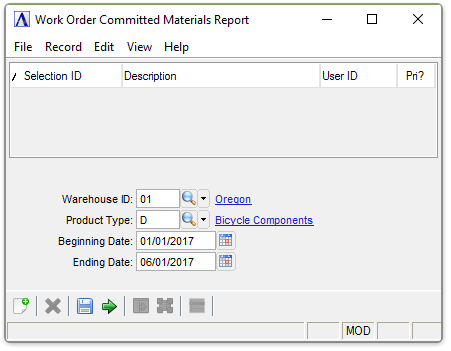
Committed Materials Report
About the Fields
In the Warehouse ID field...
-
Enter a valid warehouse code.
-
Click
 to select from a list of all valid warehouse IDs.
-
Press Tab or Enter to include all warehouses.
In the Product Type field...
-
Enter a valid product type.
-
Click
to select from a list of all valid product types. -
Press Tab or Enter to include all product types
In the Beginning/Ending Date field...
-
Enter the first/last date to be entered on the report.
-
Press Tab or Enter to include the first/last date on record.
-
Click
 to use the tool to select the date.
When finished making entries to the fields...
-
Click
 to run the report.
 -
Click
 to
save the selections.
to
save the selections. -
Click
 to clear all selections.
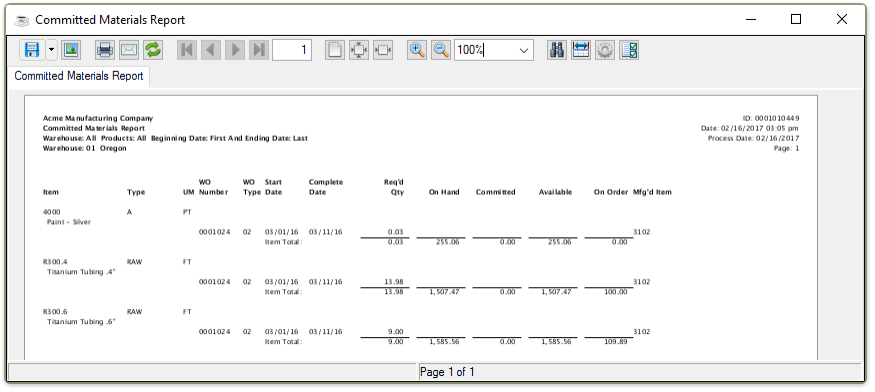
Sample Committed Materials Report
See Output Options.