Shop Floor Control - Closed Work Order Summary Register
Function
This register creates a summary of the Work Order Close Data Entry information (including both standard and actual costs) and a summary of general ledger postings for the work orders that are being closed.
To access this task...
Select Closed Work Oder Summary Register from the Transaction Processing menu.

Closed Work Order Summary Register
-
Select Yes to run the register and create the report.
-
Select No to return to the Shop Floor Transaction Processing menu.
When any work order is
closed, the Work in Process The value of the inventory on the shop floor. Work in Process is also used to generally describe the inventory that has some value added to it in the form of labor, but that is not complete. AddonSoftware only considers items to be Work in Process while a work order is open and not complete.
account is credited with the total accumulated actual value of the work
order. The debit accounts, explained below, are dependent on the work
order category and type.
The value of the inventory on the shop floor. Work in Process is also used to generally describe the inventory that has some value added to it in the form of labor, but that is not complete. AddonSoftware only considers items to be Work in Process while a work order is open and not complete.
account is credited with the total accumulated actual value of the work
order. The debit accounts, explained below, are dependent on the work
order category and type.
When an Inventory The components, items, and raw material purchased or produced for resale or used to support production. Item (I) category work order
is closed at actual cost, a debit is posted to the inventory account established
for the inventory item. When an Inventory Item (I) work order is closed
at standard cost The sum of the materials, operations, and subcontracts, together with their costs, that make up the standard cost for an item. (the
most common situation), debits are posted to both the inventory account
and the variance A comparison of actual cost (the total of all transactions) to the standards. Variances are negative when a job is exceeding the standards and are positive when it actually requires less than the standard. accounts
established in the Work Order Type Code.
NOTE:
The inventory account that will be debited when an Inventory Item (I) category work order is closed is established in the Item Master File (Refer to Inventory Item Maintenance, Item Information).
If the Distribute Sales by Itemparameter in Accounts Receivable is checked, the account number will be shown in the Inventory Account field of the Item Information option.
If the Distribute Sales by Item parameter in Accounts Receivable is checked, no Inventory Account field is shown in Item Information. Instead, the account number comes from the Distributon Code of the appropriate warehouse for the selected item. The account number will be shown as Inventory Account in the Distribution Code Maintenance task of Accounts Receivable.
When Non-Stock A special type of work order that describes the manufacture of an item that is not normally stocked as a part number. Non-stocks can describe a custom manufacturing job or any job where a standard bill of material is not followed. Or, items that are needed from subcontracts or purchase requisitions that are part of the manufacturing of a product.
Item (N) or a Recurring/Permanent (R) work order is closed, a debit
is posted to the Close To Account established in the Work Order
Type Code task.
If the Sales Order Processing
module is in use and a customer number, sales order number, and sales
order line number were entered in the Work Order Entry Header The information that is unique to a work order as a whole. Header information includes dates, production quantities, customer information, and other data specific to the work order. Information option, the Ship
and B/O quantities on the sales order will be automatically updated by
the Closed Work Order Summary Register update. For Non-Stock Item category
work orders, the cost will also be updated.
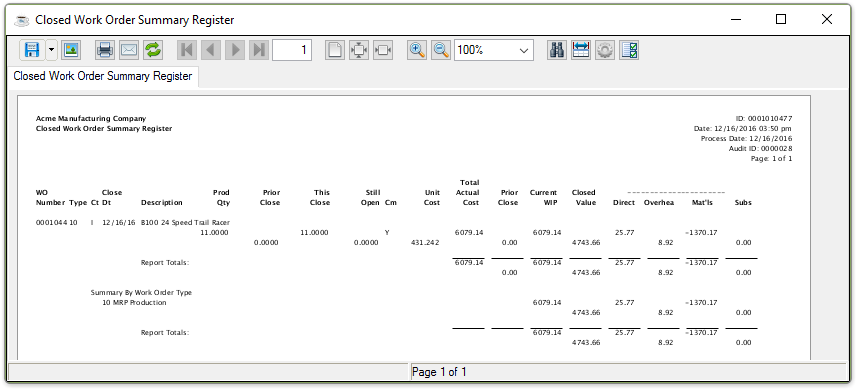
Sample Closed Work Order Summary Register
See Output Options.
Closing this preview window creates the General Ledger Summary report.
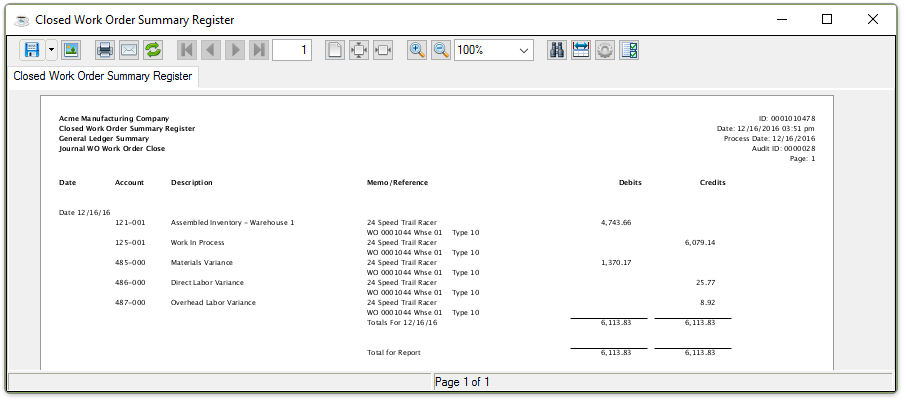
Sample GL Summary Closed Work Order Summary Register
See Output Options.
Closing this preview window launches the update prompt:
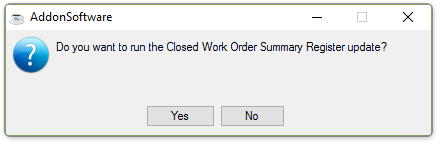
Do you want to run the Closed Work Oder Summary Register update?
-
Select Yes to run the update.
-
Select No to close the window without running a register update.
The system issues another prompt:
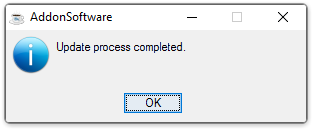
Update process completed.