Payroll - W-2 Form State ID Definition
Function
The W-2 Form State ID task is used to set up the valid W-2 State Codes used in the Configuration Process. The State Code and its IRS Numeric Designations are as specified in the Filing Forms Electronically, guidelines published by the Social Security Administration. The Display additional options... button provides access for creating a Code Listing report.
NOTE:
This Data is also furnished via the Annual Update Process.
To access this task...
Select W-2 Processing from the Periodic Processing menu, then select W2 State ID Definition.
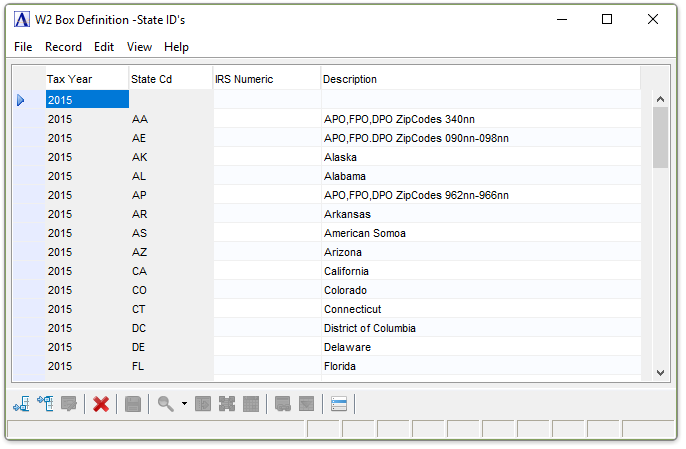
W2 State ID Definition
About the Fields
To Enable Edits to the form select  .
.
In the Tax Year column...
-
Enter the Calendar Tax Year that this Code Definition Applies to.
-
Click
 to add a new record at the end of the
form or
to add a new record at the end of the
form or  to insert
a new record at the current location.
to insert
a new record at the current location. -
Click
 to delete the record selected.
In the State Cd column...
-
Enter the Official USPS Abbreviation for the State, Territory, US Possession, or Military Post Office.
In the IRS Numeric column...
-
Enter the IRS Numeric Designation as specified in Appendix of the Social Security Administration Publication 42-007.
In the Description column...
-
Enter the Name of the State, Territory, US Possession, or Military Post Office.
When finished making selections...
-
Click
 to save the record.
 -
Click
to add a new record at the end of the
form or to insert
a new record at the current location. -
Click
to delete the record selected.
If the Window is closed without saving the record, the module issues this confirmation prompt:
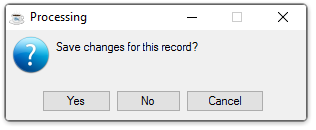
Save changes for this record?
-
Click Yes to save the changes.
-
Click No to return to the Payroll W2 Process Menu without saving the record.
Selecting the additional options button  :
:
Then you are presented with the choice to print a listing of all W2 State Code Definitions.
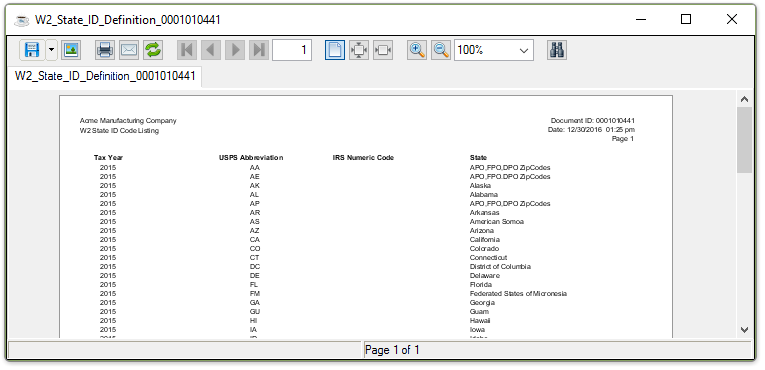
Sample W2 State ID Definition Listing
See Output Options