Payroll - Distribution Report
Function
This task prints all earnings units and dollars entered through the Payroll Entry task and generated through the Automatic Processing option of the Payroll Period Definition task; detailed by actual department and job title for each employee as entered on each pay line. Computer, manual and reversal entries are included. Subtotals are printed by department and job title, with a grand total of all earnings units and dollars for all departments printed at the end of the report. Refer to Appendix A, for a sample copy of the printed report.
To access this task...
Select Distribution Report from the Daily Processing menu.
If Batching has been enabled then you will be presented with the Process Batch Control Screen, to select an existing batch. Batching allows several people to work within the payroll system at the same time on a different set of processes. The Batch number assigned carries through the Daily Processing Menu Choices.
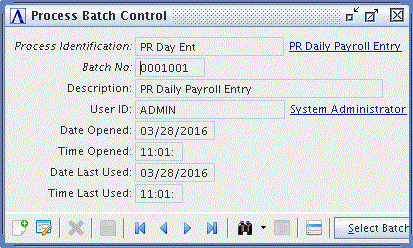
Process Batch Control
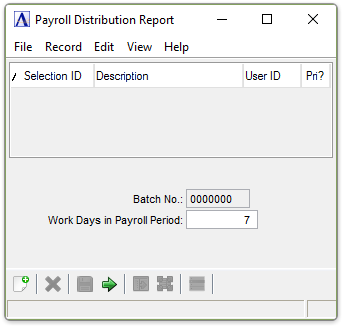
About the Fields
In the Work Days in Payroll Period field...
T>he Work Days are used to calculate the estimated budget amount of Dollars and Hours for comparison to help identify potential errors.
-
Enter the number of work days in the pay period. This number should compare to the same amount budgeted for the department.
When done making selections...
-
Click
 to generate the Distribution Report.
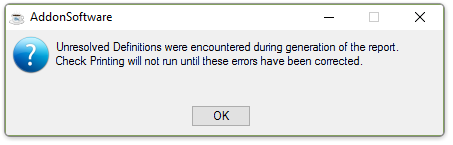
Unresolved Definitions were encountered during generation of the report.
NOTE:
Exceptions will be noted both on the report and on the screen.
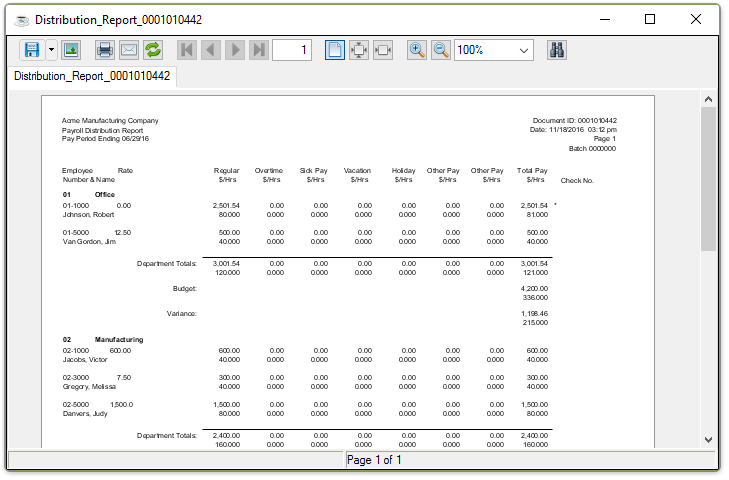
Sample Distribution Report
See Output Options
When the process is complete, you are returned to the Payroll Daily Processing Menu.