Purchase Order Processing - PO Receipt History Inquiry
Function
This is a read-only version of the PO Receipt Entry form and allows users to review PO Receipts that have been updated to the history file. The Lot/Serial Detail button launches a query showing lot/serial numbers received for the Item on the grid row that has focus. The button is disabled except for inventoried lotted/serialized items.
To access this task...
Select PO Receipt History Inquiry from the Inquiry and Maintenance menu.
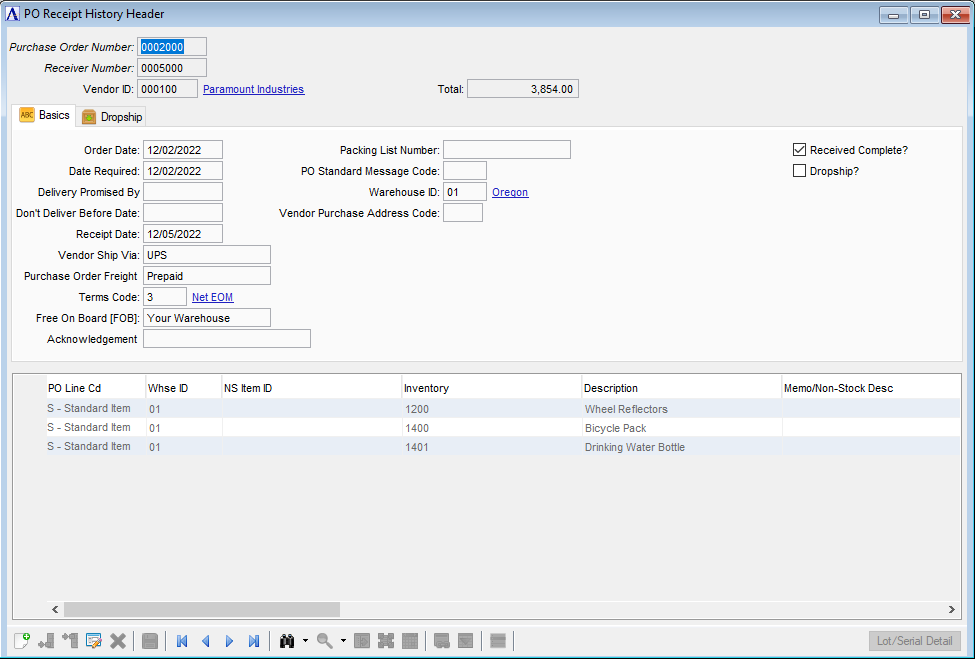
PO Receipt History Inquiry
About the Fields
This is a read-only form.
In the Memo/Non-Stock Desc field...
-
The memo lines can be reviewed either by hovering over the '...' column with the mouse or by double-clicking the cell or selecting it and clicking Ctrl+F.
When done making selections:
-
Click
 to clear entries on the form and begin again.