Purchase Order Processing - Create Purchase Calendar
Function
Use this task to create a purchase calendar for a set length of time. The calendar determines the lead time offset for items entered on your purchase orders. You can create a calendar to replace any calendar currently in place or make changes to an existing calendar with the Purchase Calendar Maintenance task.
To access this task...
Select Create Purchase Calender from the Inquiry and Maintenance menu.
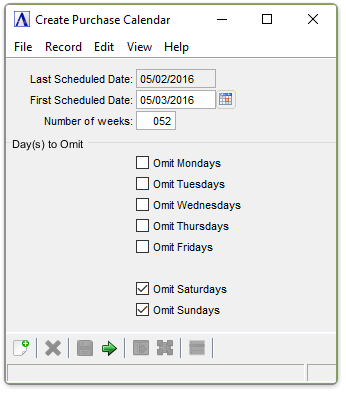
Create Purchase Calendar
About the Fields
In the Last Scheduled Date field...
Display only. Shows the date of the last day currently scheduled.
In the First Scheduled Date field...
-
Enter the date for your purchase calendar to begin.
-
Click
 to select a date by using the calendar
tool.
to select a date by using the calendar
tool.
In the Number of Weeks field...
-
Enter the number of weeks this calendar covers.
In the Day(s) to Omit checkboxs...
-
Check the box(es) next to the days of the week to omit them from the purchase calendar.
When done making selections...
-
Click
 to run the Requisition by Item process.
 -
Click
 to save
the record.
to save
the record.
-
Click
 to clear
entries on the form and begin again.
to clear
entries on the form and begin again.
Selecting button returns
the following confirmation:
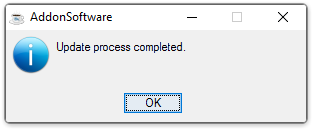
Update process completed.
-
Click OK to close the window for this task.