Sales Order Processing - Print Quotes
Function
Use this task to print, in a batch, confirmation for quotes entered in the Order Entry task.
To access this task...
Select Print Quotes from the Sales Order Processing main menu.
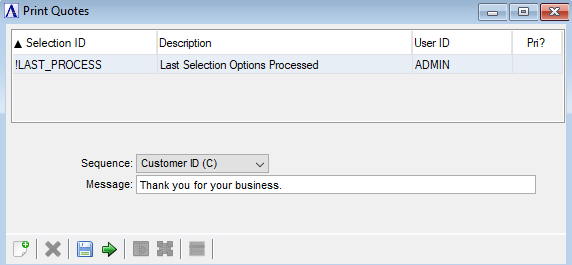
Print Quotes
About the Fields
From the Sequence dropdown...
-
Select Customer ID (C) to print acknowledgements in Customer ID order.
-
Select Order Number (O) to print acknowledgements in Order Number order.
In the Message field...
-
Enter any special messages you wish to include on all acknowledgements in the batch.
When done making selections...
-
Click
 to create a print preview of the acknowledgements.
 -
Select
 to save these selections for future acknowledgement printings.
 -
Click
 to clear selections and begin again.