Sales Order Processing - Invoice History Inquiry
Function
Use for a quick lookup of closed invoices by customer. Selecting the tabs (Addresses, Basics, Totals) provides detailed information for each invoice. Record additions and edits are not permitted in this task. The Print button allows for the creation of the selected invoice marked as an “Historical Invoice” to avoid confusion with open invoices. The Serial Entry button launches the Lot/Serial Invoice History inquiry grid.
The Display additional options dropdown tool provides access to Shipment Tracking inquiry and Sales Tax Transaction History, and Carton Packing History.
To access this task...
Select Invoice History Inquiry from the Sales Order Processing main menu.
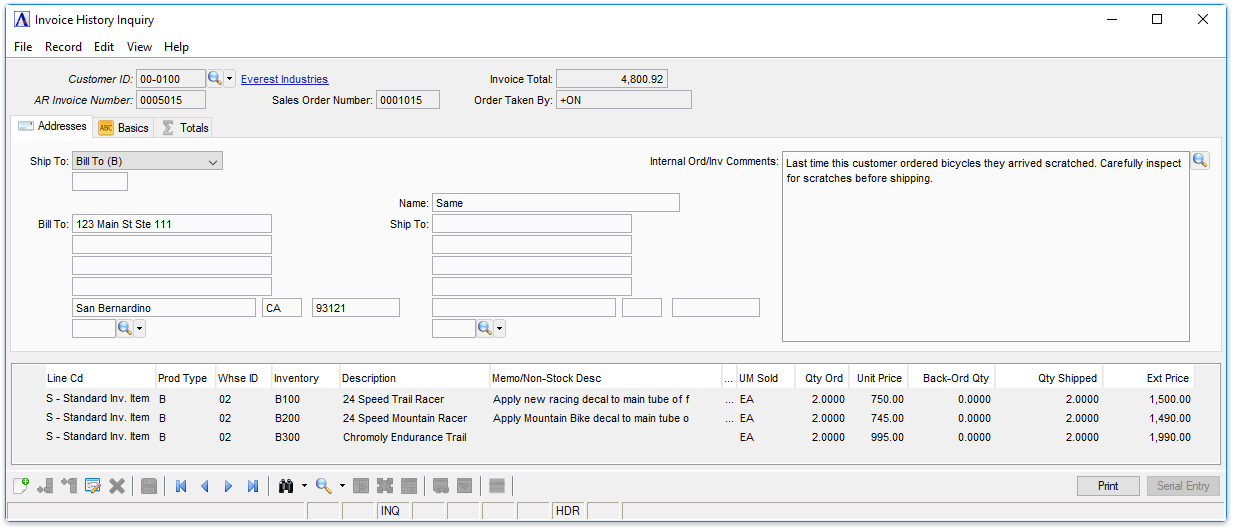
Sample Invoice History Inquiry
About the Fields
In the Customer ID field...
-
Enter a valid customer ID.
-
Click
 to select
from a list of valid customer IDs.
to select
from a list of valid customer IDs.
In the AR Invoice Number field...
-
Enter a valid AR invoice number for the customer entered.
-
Click
 to open a table of invoices for this customer. Selecting a record
from this table populates the AR
Invoice Number field and displays the invoice details
to open a table of invoices for this customer. Selecting a record
from this table populates the AR
Invoice Number field and displays the invoice details
NOTE:
Record additions are not permitted in this task.
Line Item Details
| Line Cd | Prod Type | Whse ID | Inventory | Description | Memp/Non-Stock Desc | Pick/Inv Cmts | UM Sold | Qty Ord | Unit Price | Back-Ord Qty | Qty Shipped | Ext Price |
Addresses Tab
This is a query function and is display only.
-
To navigate through multiple invoices for the selected customer, click the record navigating buttons;
 to view the first record,
  to view the previous record,
  to view the next record, and
  to view the last record.
 -
Click another tab to display additional details about the selected customer/invoice.
In the Internal Ord/Inv Comments field...
These comments are internal only (don't appear on reports or customer-facing documents), and follow the order all the way through invoicing and into history. They can be changed/amended at any time (even AFTER the invoice goes to history).
-
Enter or edit by typing directly into the form field, or click
(or Ctrl+F) to launch the comment editor. -
Ship To/Bill To fields are display only.
Invoice History Inquiry - Addresses tab
Basics Tab
This is a query function - no changes or entries can be made in this task.
-
To navigate through multiple invoices for the selected customer, click the record navigating buttons;
to view the first record, to view the previous record, to view the next record, and to view the last record. -
Click another tab to display additional details about the selected customer/invoice.
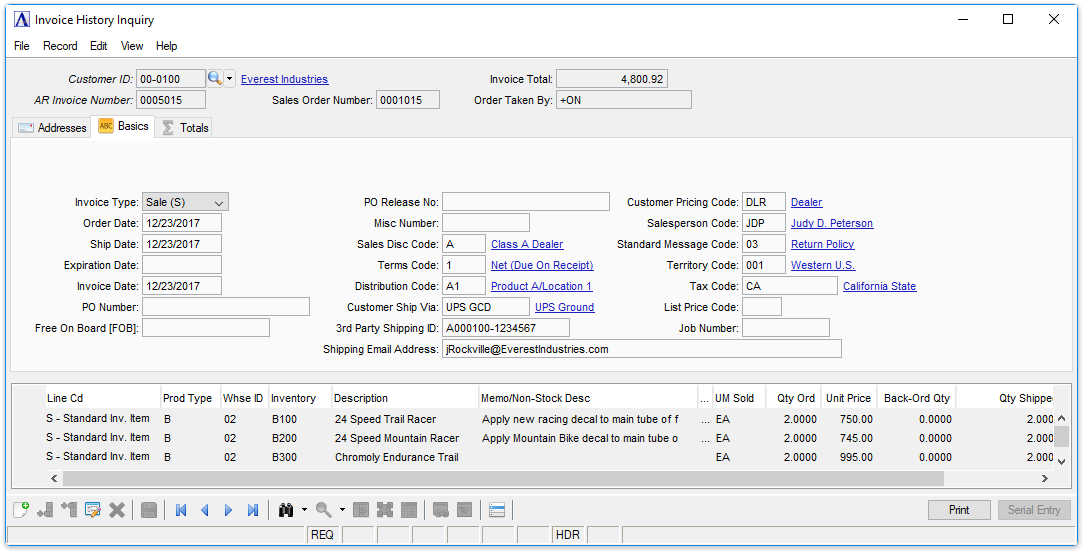
Invoice History Inquiry - Basics tab
Totals Tab
This is a query function - no changes or entries can be made in this task.
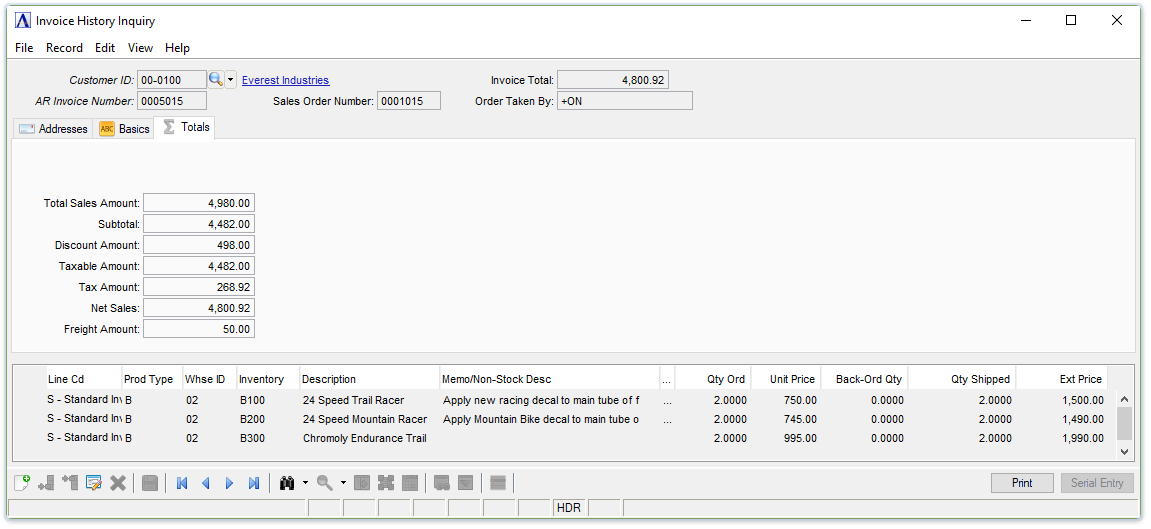
Invoice History Inquiry - Totals tab
Print and Serial Entry Buttons
-
Select the Print button to create an invoice - the top of the invoice is noted as a "Historical Invoice".
-
Select the Serial Entry button to launch the Lot/Serial Invoice History inquiry grid.
-
Payments received to date for the invoice can be printed along with the Historical Invoice.
Shipment Tracking
This task is accessed from the Display additional options dropdown. It launches the Shipment Tracking inquiry grid where tracking information for the order can be viewed. The Shipment Tracking button launches the carrier's shipment tracking website using the carrier's URL from the Accounts Receivable Carrier Service Code maintenance task.
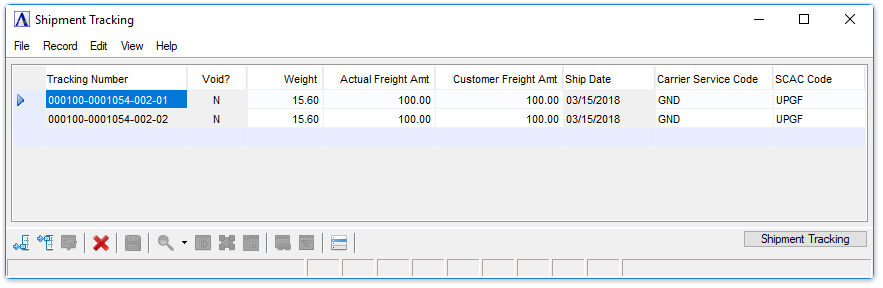
Shipment Tracking
See Output Options to create a copy of the invoice plainly marked as a "Historical Invoice."
Sales Tax Transaction History
This task is accessed from the Display additional options dropdown and displays details of the sales tax transactions committed for the selected historical invoice using a sales tax service.
Carton Packing History
This task is accessed from the Display additional options dropdown. It launches the Historical Carton Packing Detail grid, showing the carton packing information for the order.
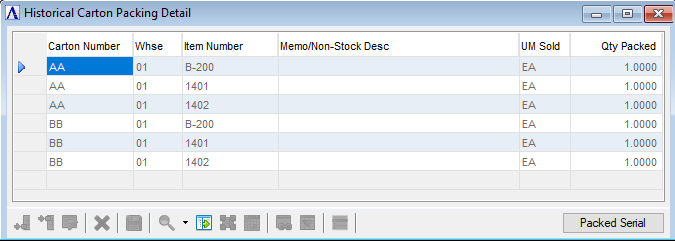
Historical Carton Packing Detail
The Packed Serial button launches the Historical Carton Lot/Serial Packing grid, showing the carton lot/serial packing information for the order.
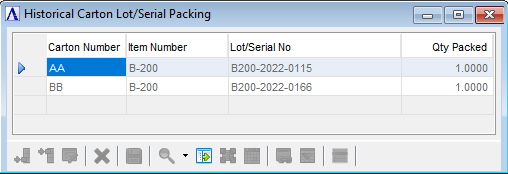
Historical Carton Lot/Serial Packing