Inventory Control - Unit of Measure Codes
Function
Use this task to define and maintain unit of measure codes, i.e. abbreviations, for standard unit of measures used elsewhere throughout the system.
To access this task...
Select Unit of Measure Codes from the Inquiry and Maintenance menu.
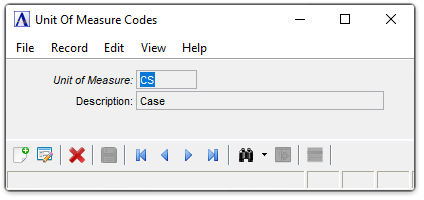
Unit of Measurement Codes
About the Fields
In the Unit of Measure field...
-
Enter a valid unit of measure code.
-
Click
 to select from a list of measurement codes.
 -
Click the record navigating buttons;
 to view the first record,
  to view the previous record,
  to view the next record, and
  to view the last record.
In the Description field...
-
Enter a description for the unit of measure code.
When done making selections...
-
Click
 to save the record.
 -
Click
 to begin a new cycle code record.
 -
Click
 to delete the record.
Closing an unsaved record will issue the prompt:
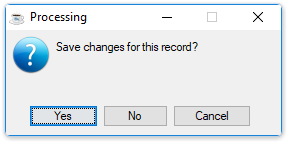
Save changes for this record?
-
Select Yes to save the changes.
-
Select No to return to the form.