Inventory Control - Synonyms Listing
Function
Use this task to create a listing of all synonyms referencing inventory items. A listing may be created to show the synonyms and the items referenced by the synonym or to show items and the synonyms used for the item.
To access this task...
Select Synonyms Listing from the Reports menu.
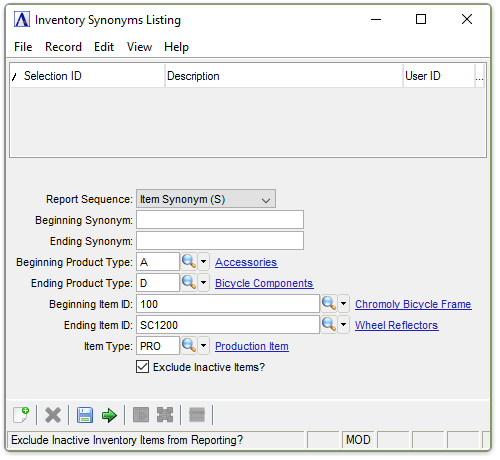
Inventory Synonyms Listing
About the Fields
From the Report Sequence dropdown...
-
Select Item Synonym (S) to create the listing by synonym.
-
Select Item Number (I) to create the listing by item.
In the Beginning/Ending Synonym field...
The Synonym fields are bypassed if Item Number in the Sequence field step is selected.
-
Enter the first/last synonym to include on the listing.
-
Press Tab to select the first synonym record.
In the Beginning/Ending Product Type field...
-
Enter the type of the first/last product to include on the listing.
-
Press Tab to select the first product type record.
-
Click
 to
select from a list of product types.
to
select from a list of product types.
In the Beginning/Ending Item ID field...
-
Enter the number of the first/last item to include on the listing.
-
Press Tab to select the first item number record.
-
Click
to
select from a list of item numbers.
In the Item Type field...
-
Enter the item type to include on the listing.
-
Press Tab to select all item types.
-
Click
to
select from a list of item types.
Exclude Inactive Items? checkbox...
-
Mark the box (default) to exclude inactive items.
-
Unmark the box to include all items.
When done making selections...
-
Click
 to create the Synonyms Listing.
 -
Click
 to save the settings.
 -
Click
 to clear the form and re-enter options.
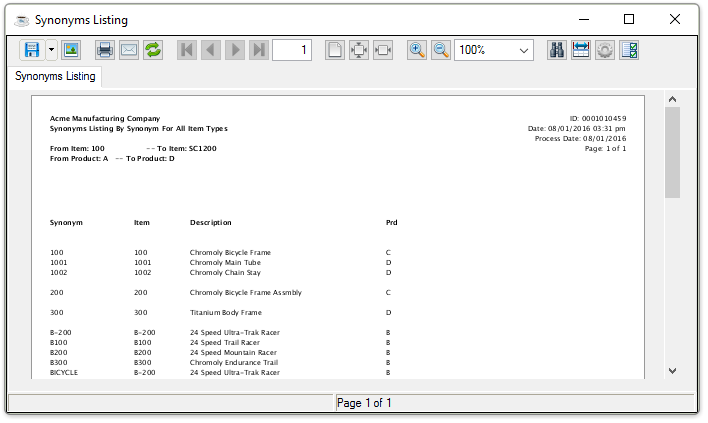
Sample Synonyms Listing by Synonym