Inventory Control - Backordered Items Report
Function
Use this task to generate a report showing all items with open backorders, and those item's availability in all warehouses.
To access this task...
Select Backordered Items from the Report menu.
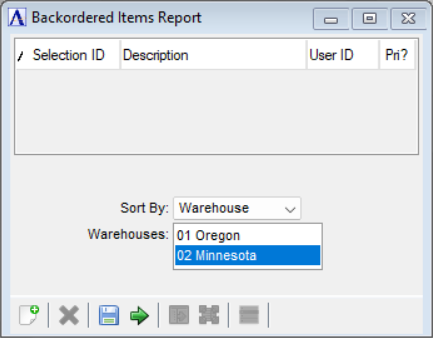
Backordered Items Report
About the Fields
From the Sort By dropdown...
Select the field to sort by:
-
Warehouse
-
Item
-
Order
In the Warehouses field...
Toggle which warehouses to include in the report.
When finished making entries to the fields...
-
Click
 to create the Backordered Items Report.
 -
Click
 to save changes.
-
Click
 to clear the form and re-enter options.
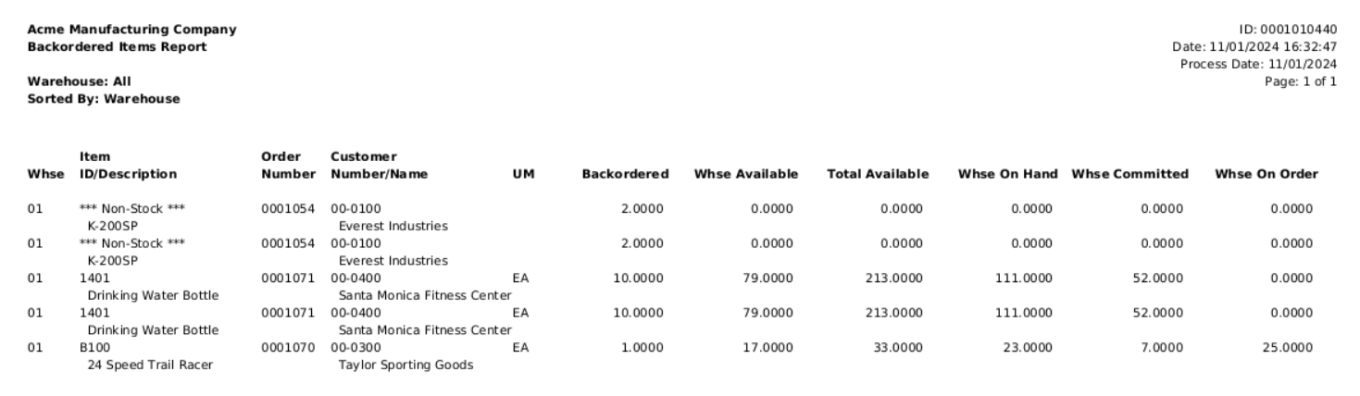
Sample Backordered Items Report