General Ledger - Copy Financial Reports
Function
Use this task to copy the format of one financial report to another. It provides an efficient means of rapidly duplicating financial report formats within a single company or between separate companies.
To access this task...
Select Copy Financial Reports from the Custom Financials menu.
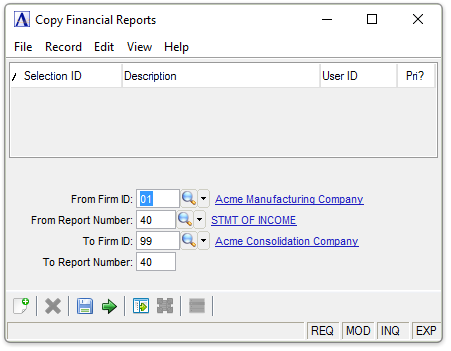
Copy Financial Reports
About the Fields
In the From Firm ID field...
This field indicates the source company of the financial report format to be copied.
-
Enter the Firm ID originally defined for the report.
-
Click
 to select from a list of all valid company
numbers.
to select from a list of all valid company
numbers.
In the From Report Number field...
This field indicates the financial report number to be copied.
-
Enter a two-digit report number.
-
Click
to select from a list of all valid report
numbers.
In the To Firm ID field...
- Enter the company number to which the report will be copied.
- Click
to select from a list of all valid company numbers.
In the To Report Number field...
-
Enter a two-digit report number.
-
Click
to select from a list of all valid report
numbers.
This field indicates the report number to be assigned to the copied report.
WARNING:
If the report number entered in the To Report Number field already exists, it will be overwritten by the information from the source report.
When done making selections...
-
Click
 to start copying the details from
one firm to another.
to start copying the details from
one firm to another. -
Click
 to save the current settings.
 -
Click
 to clear the form.
The system issues this prompt:
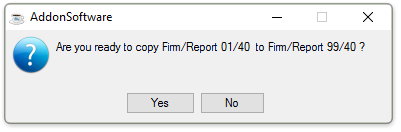
Are you ready to copy Firm/Report A to Firm/Report B?
-
Click Yes to start copying.
-
Click No to cancel.
Copying
After each line is copied from the existing report to the new report, the system issues this prompt:
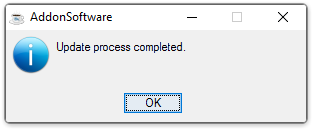
Update process completed.