General Ledger - Account Allocation Register
Function
The Account Allocation Register provides a list of the account allocation entries, and allows the specification of which accounting period should be used to select the account balances.
To access this task...
Select Account Allocation Register from the General Ledger main menu.
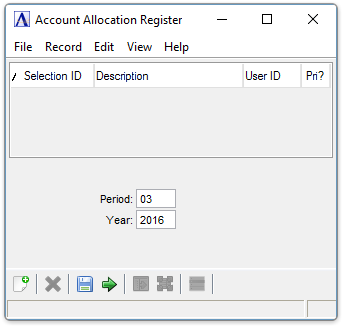
Account Allocation Register
About the Fields
In the Period field...
-
Enter an accounting period from which the account allocation source balance should be drawn.
NOTE:
Allocations can only be made for the current fiscal year.
The ending balance for the selected period is used as the amount to be allocated to each detail line. The beginning and ending dates of the period will be displayed.
In the Year field...
-
Enter the current fiscal year.
Creating the Register
-
Click
 to run the
register.
to run the
register.

Sample Account Allocation Register
See Output Options.
Closing the Account Allocation Register report produces a GL Summary report.

Sample Account Allocation Register Summary
See Output Options.
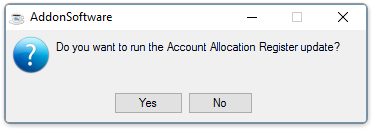
When the preview window is closed, the system issues this prompt:
-
Click Yes when the register printed correctly and balanced to the totals expected.
-
Click No if the register did not print correctly or if the update should be postponed.
Updating
The update process creates a transaction for each allocating entry in the Daily Detail file, where they may be updated to the general ledger after the creation of the Daily Detail Register.