Bill of Materials - Total Information
The Total Information task is accessed from the Display additional options dropdown and selecting 'Total Information' from the Bill of Materials Masters task in Maintenance.
Function
The Total Information option allows for inquiry into the material cost, direct labor cost, overhead cost, and subcontract cost, with a total cost for the selected bill number on a particular production date. This dynamic form allows you to view totals for different dates and warehouses by simply modifying the data and navigating to the other field.
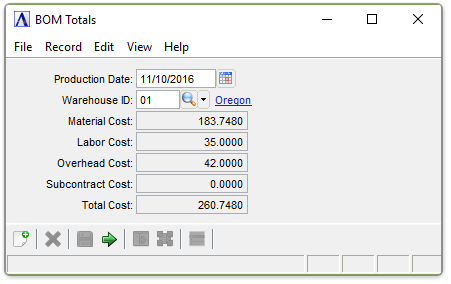
BOM Totals
About the Fields
In the Production Date field...
-
Enter the date of production.
-
Click
 to select a date.
-
Press Tab key to accept the default date – current date.
The production date will be used in conjunction with the effective and obsolete dates to calculate the total information on that date. All material, direct labor, overhead, and subcontract monies for the entered production date appear on the screen.
In the Warehouse ID field...
-
Enter a valid warehouse ID number.
-
Click
 to select from a list of warehouse codes.
When done making selections...
-
Click
 to exit the form.
 -
Click
 to clear the form and begin
again.
to clear the form and begin
again.