Bill of Materials - Packing List
Function
The Bill
of Materials A listing of materials, operations, and subcontracts used to describe the manufacture of an item. Packing List is used to help with assembly The joining together of items and/or parts to make a product. That product might also be a part or item for another product assembly., quality control, and boxing
of an item for shipment. It is run on demand for all bills or for a selected
range. An asterisk next to the item number indicates a bill number.
A listing of materials, operations, and subcontracts used to describe the manufacture of an item. Packing List is used to help with assembly The joining together of items and/or parts to make a product. That product might also be a part or item for another product assembly., quality control, and boxing
of an item for shipment. It is run on demand for all bills or for a selected
range. An asterisk next to the item number indicates a bill number.
To access this task...
Select Packing List from the Reports menu.
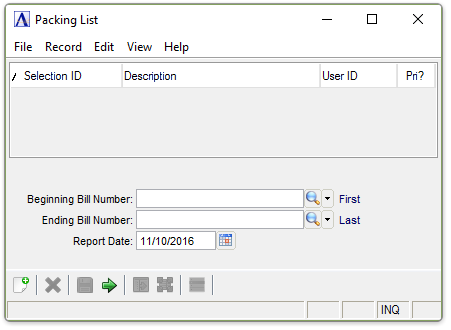
Bill of Materials Packing List
About the Fields
In the Beginning/Ending Bill Number field...
-
Enter the first/last bill number that is to be printed.
-
Press Tab or Enter to accept the default of the first/last number.
In the Report Date field...
-
Press Tab or Enter to accept the default of today’s date.
-
Click
 to select a date using the calendar tool.
When finished making entries to the fields...
-
Click
 to clear the form and begin again.
 -
Click
 to save the report settings.
 -
Click
 to process the report.
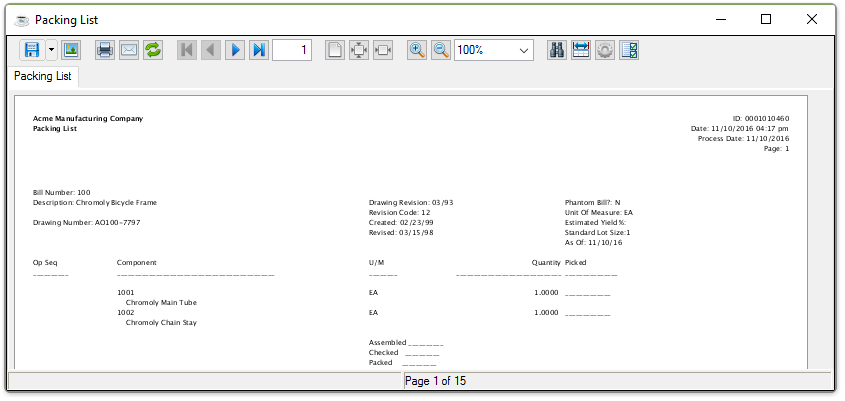
Sample Packing List
See Output Options.