Accounts Receivable - Finance Charge Register
Function
The Finance Charge Register task prints a report of all calculated finance charges prior to making postings to the customers' accounts. Included is all finance charges automatically created by the Finance Charge Creation task and manually entered through the Finance Charge Entry task. Finance charges may be optionally posted to the general ledger.
To access this task...
Select Finance Charge Register from the Period End Processing menu.
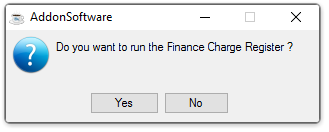
Do you want to run the Finance Charge Register?
NOTE:
Because the Finance Charge Register is printed from the same file as that used by the Conversion Invoice Register, each of these processes should be run separately to avoid confusion between them.
-
Click Yes to create the register.
-
Click No to return to the menu.
NOTE:
Any finance charge that is automatically generated through the Finance Charge Creation task may be modified or deleted using the Finance Charge Entry task prior to updating the Finance Charge Register.
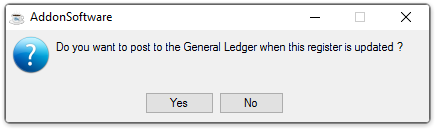
Do you want to post to the General Ledger when this register is updated?
-
Click Yes to update the general ledger. A general ledger summary page will print for your inspection. You must also update the Finance Charge Register in order for the general ledger postings to take place.
-
Click No if you do not want to post transactions to the general ledger but still have them added to the customer's open invoice files when the Finance Charge Register is updated.
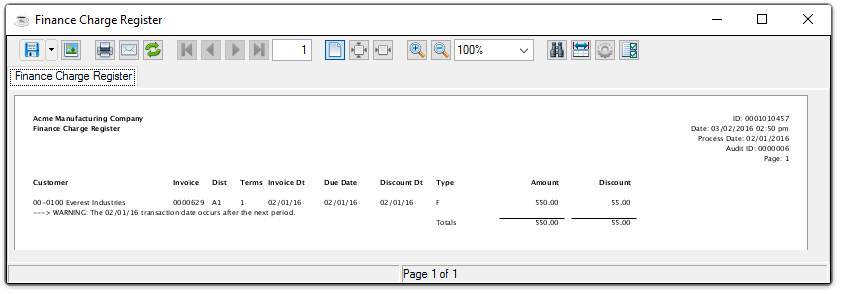
Sample Finance Charge Register
See Output Options.
NOTE:
If General Ledger is installed and the GL Posting Parameter is set checked, a second Document Output Display window displays. This GL recap lists general ledger postings, in account number order, created during the Finance Charge Register. If the GL Recap report detects any other errors, an error message appears.
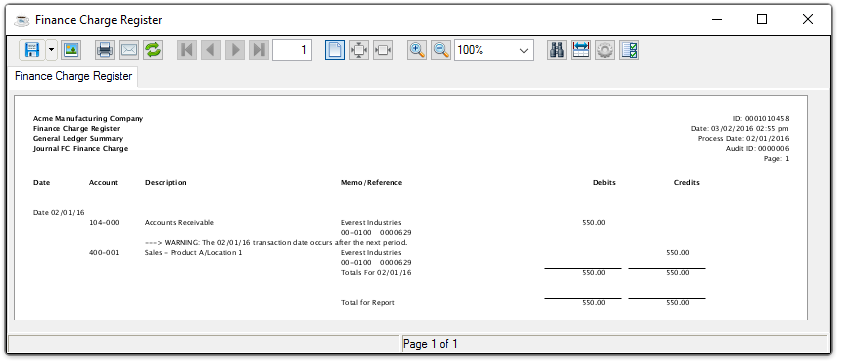
Sample Finance Charge Register - GL Summary
See Output Options.
After inspecting the register, you may choose whether or not to update
the selection when the system issues this prompt:
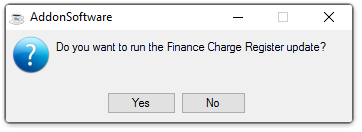
Run Finance Charge Register Update
-
Click Yes to post the result of the finance charge calculation to the customer's AR Open Item files and create general ledger postings.
-
Click No to return to the AR Period-End Processing Menu without updating. Transactions will remain unposted in the AR open invoice file until the Finance Charge Register is updated.
Updating
The finance charges are posted to the customers' accounts. When the option is selected to post to general ledger and the Finance Charge Register is also updated, the amount of the finance charge is debited to the accounts receivable account and credited to the revenue account. The accounts set up for the Finance Charge Distribution Code in the Accounts Receivable Distribution Code Maintenance task will be used.
Where individual finance charges are entered using the Finance Charge Entry task, the distribution code established for each of those entries is used.