Accounts Payable - Disbursements Journal
Function
Use the Disbursements Journal to list the disbursements for the checks printed during the selected accounting period. You can print the report in check number sequence, alternate sequence, or vendor id sequence.
To access this task...
Select Disbursements Journal from the Period End Processing menu.
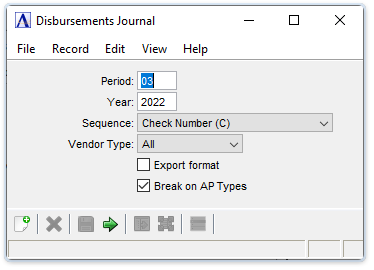
Disbursements Journal
About the Fields
In the Period field...
-
Enter the desired accounting period for the report.
In the Year field...
-
Enter the desired accounting year for the report.
From the Sequence dropdown...
The contents of the report are the same regardless of the sequence selected.
-
Select Alternate Sequence (A) from the Sequence drop down box to display the report alphabetically.
-
Select Check Number (C) from the Sequence drop down box to display the report by check number sequence.
-
Select Vendor ID (V) from the Sequence drop down box to display the report by vendor number sequence.
NOTE:
Printing the report in Vendor ID sequence (V) causes the task to first sort the records In the file. The amount of time the sort consumes depends on the number of records in the file.
From the Vendor Type dropdown...
- Select All, Permanent, or Temporary to define the Vendor Types for the journal.
Export format checkbox...
-
Mark the box to create a report without blank data fields for manipulation in Excel.
-
Unmark the box to create a report of the raw data.
Break on AP Types checkbox...
Disabled unless Multiple AP Types is checked in AP Parameters.
-
Mark the box to insert breaks for each AP type.
-
Unmark the box to disable this feature.
When finished making selections...
-
Click
 to create the Disbursement
Journal.
to create the Disbursement
Journal. -
Click
 to clear the form and begin
again.
to clear the form and begin
again. -
Click
 to save these selections.
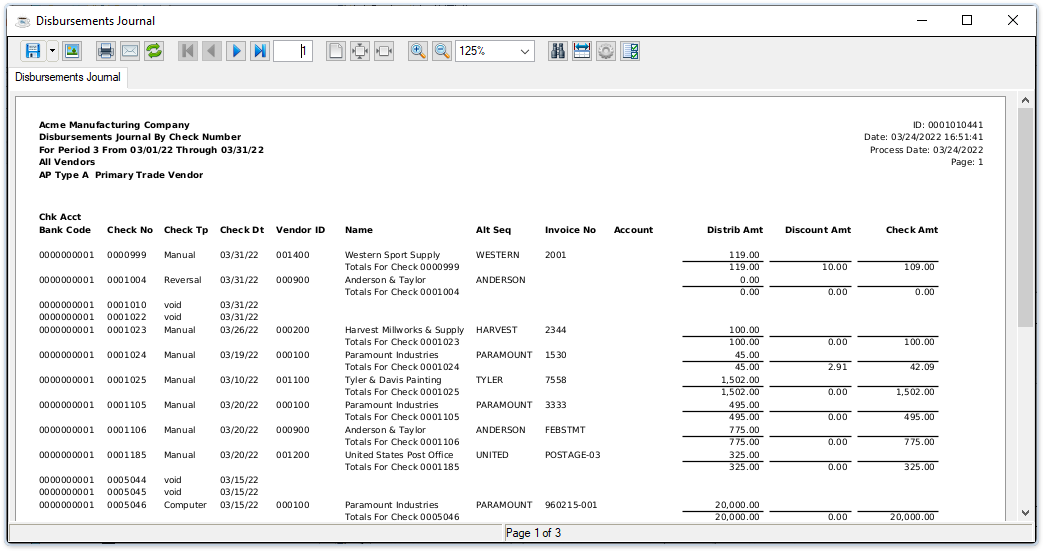
Sample Disbursements Journal
See Output Options.
If General Ledger is installed and the GL Posting Parameter is checked, you will be presented with a second Document Output Display window. This GL recap lists general ledger postings, in account number order, created during the Purchase Journal. If the GL Recap report detects any other errors, an error message appears.
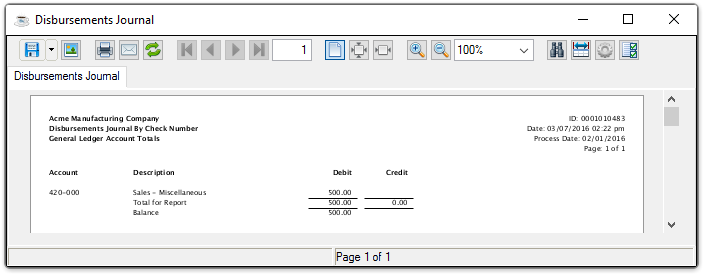
Sample Disbursements Journal - GL Account Totals
See Output Options.